Financial Operations
A Nonprofit Chart of Accounts Template Built for Growth
Download our nonprofit chart of accounts template. A strategic framework to organize funds, simplify grant reporting, and ensure audit-readiness.
ByJumpstart Partners, CPA, QuickBooks ProAdvisor
··18 min readYour Chart of Accounts (COA) is the absolute bedrock of your nonprofit's financial system. It organizes every transaction, sorting income, expenses, and restricted funds into clean categories. Without a well-structured COA, you're flying blind, relying on chaotic spreadsheets that hide the truth about your financial health and program impact. This isn't just a bookkeeping issue—it's a strategic liability.
Why Your Current Financials Are Hiding the Truth
Sure, your current reports show money coming in and money going out. But can you confidently answer the critical questions your board and grantors are really asking? Can you prove how much you spent on Program A versus Program B? Are you 100% compliant with every restricted funding requirement? If you hesitated, the problem starts with your generic COA.
The Problem with a Generic COA
A generic COA, often the default in accounting software, creates a financial black box. It lumps all your diverse funding streams together, making it impossible to demonstrate impact, prove financial stewardship to donors, or make strategic decisions. It completely obscures the true cost of running your programs and puts your funding at risk.
This guide provides a strategic framework to bring clarity to your finances. You will learn exactly how to structure your accounts to mirror your unique programs and funding streams, turning your financial data from a confusing liability into your most powerful strategic asset.
"A well-structured Chart of Accounts is the single most important tool for a nonprofit leader. It translates your mission into a financial narrative that funders, board members, and auditors can understand and trust. Without it, you're flying blind." — CPA & Nonprofit Financial Consultant
Nonprofit organizations depend on a standardized COA to maintain the transparent reporting that donors and grantors demand. This system, influenced by FASB standards, helps over 1.5 million U.S. nonprofits avoid the common pitfall of a bloated, confusing general ledger.
For growing organizations managing $500K to $20M in revenue, a clean COA is critical for an efficient month-end close. In fact, a messy chart of accounts is the number one reason financial reporting gets delayed.
To see how a solid COA forms the foundation of great reporting, check out our guide on financial reporting best practices. Adopting a strategic approach to your COA is non-negotiable for any nonprofit leader serious about growth and impact.
Building Your High-Impact Chart of Accounts
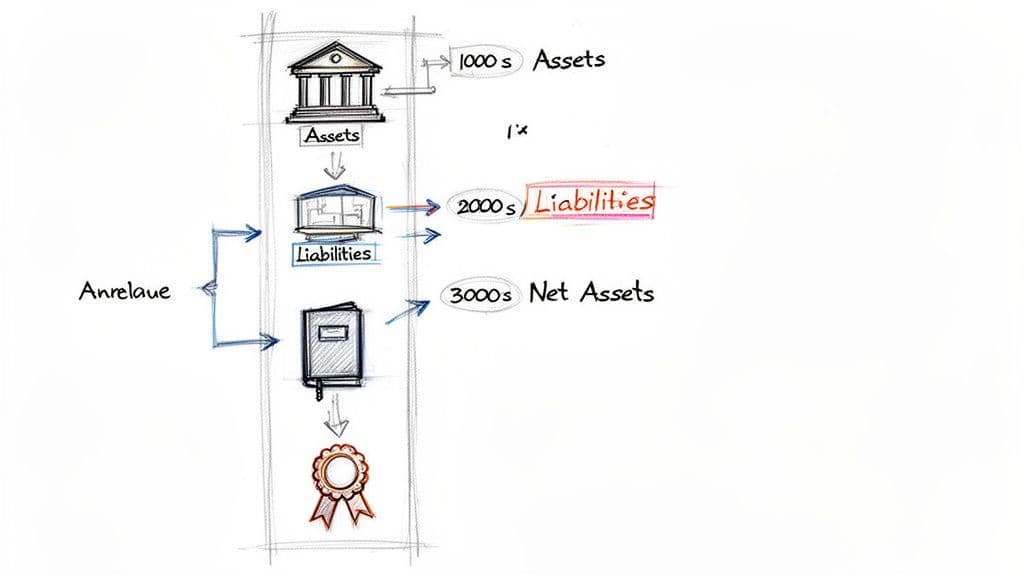
A powerful Chart of Accounts (COA) is more than a list of accounts. It’s the financial blueprint for your nonprofit, built on a logical numbering system that tells a clear story. Get this structure right, and every transaction is categorized correctly from the start.
Understanding the "why" behind this framework allows you to build a system that’s not only GAAP-compliant but also perfectly wired for your strategic needs. For those who want to go deeper on the core principles, Steingard Financial has excellent guidance on how to create a chart of accounts that truly serves your mission.
Let’s break down the standard account ranges so you can customize them with confidence.
Assets: The 1000s Series
Assets are everything your nonprofit owns—the economic fuel for your mission. You will use the 1000s series for these accounts, starting with your most liquid assets (what you can access quickly) and moving to less liquid ones. The structure is intuitive and follows a standard pattern that auditors, funders, and board members immediately recognize.
Here’s a typical structure:
- 1000 - Cash and Cash Equivalents: Your primary checking and savings accounts.
- 1100 - Accounts Receivable: Money owed to you for services already rendered.
- 1200 - Pledges Receivable: Donations promised but not yet received.
- 1500 - Fixed Assets: Tangible assets like buildings, vehicles, and equipment, always shown net of depreciation.
Liabilities: The 2000s Series
Liabilities are what your organization owes to others. The 2000s series is where you track all these obligations, from short-term bills to long-term debt. A clear view here is critical for managing cash flow and demonstrating financial responsibility.
Common liability accounts include:
- 2000 - Accounts Payable: Everyday bills you owe to vendors and suppliers.
- 2100 - Accrued Expenses: Expenses you've incurred but haven't paid yet, like payroll.
- 2200 - Deferred Revenue: Funds you’ve received for programs or services you haven't delivered yet.
- 2400 - Loans Payable: Balances on any long-term debt, like a mortgage or vehicle loan.
Net Assets: The 3000s Series
This is where nonprofit accounting diverges from the for-profit world. The 3000s series, or Net Assets, replaces "Equity." It's where you track the cumulative financial result of your operations, segregated by donor restrictions.
This segregation isn't optional; it’s a core requirement of Generally Accepted Accounting Principles (GAAP). Your COA must clearly distinguish between funds you can use for any purpose and those earmarked by donors for something specific.
The core distinction in nonprofit finance is tracking resources based on donor intent. Your COA’s Net Assets section is where this principle comes to life. Getting this right is fundamental to transparency and compliance, showing funders you honor their specific mission-driven investments.
The essential Net Asset accounts are:
- 3000 - Net Assets Without Donor Restrictions: Funds available for general operations, to be used however your board sees fit.
- 3100 - Net Assets With Donor Restrictions: Funds that must be used for a specific purpose or during a specific time period, as stipulated by the donor.
This separation is vital for creating accurate financial statements. Historically, restricted funds grew from 25% of total nonprofit revenue in 1990 to 42% by 2020. This shift forced nonprofits to adopt segmented charts of accounts to properly track revenue and expenses against those restrictions—a key element for the Statement of Functional Expenses now required by 90% of all IRS Form 990 filers.
Structuring Revenue and Expenses for Grant Reporting
In the nonprofit world, not all income is created equal. Every dollar you receive and spend tells part of your mission's story. Your Chart of Accounts (COA) is the tool you use to tell that story accurately, proving compliance to grantors and demonstrating impact to donors.
This comes down to how you structure your revenue (the 4000s) and expense (the 5000s and up) accounts.
A generic COA with one line for "Revenue" and another for "Salaries" is a direct path to a reporting nightmare. You must break these categories down to reflect your specific funding streams and how you operate. Plus, a well-organized COA provides the clean data needed to integrate with modern grant reporting systems, saving you countless hours.
Designing Your Revenue Accounts
Your revenue accounts, typically the 4000s series, must clearly separate your different funding sources. This isn't just for external reporting; it's fundamental for your internal strategy. At a minimum, have distinct parent accounts for your major income categories.
Here’s a starting point:
- 4100 Individual Contributions: Donations from individual supporters.
- 4200 Corporate & Foundation Grants: Grants from private foundations or corporate giving programs.
- 4300 Government Grants & Contracts: Funds from local, state, or federal agencies.
- 4400 Program Service Fees: Earned income your services generate.
From there, create sub-accounts to track specific grants. Under "Corporate & Foundation Grants," add 4210 - Smith Foundation Grant and 4220 - Community Impact Grant. This is crucial for fund accounting, as it helps you prove you’re honoring donor restrictions.
For a deeper look, our guide on fund accounting for nonprofits walks through how this structure prevents major compliance headaches.
Mastering Functional Expense Allocation
Your expense accounts are where you prove efficiency and impact. Every dollar your nonprofit spends must be categorized by its functional area. This isn't just a best practice—it's a GAAP requirement reported on your Form 990. Your COA must be designed to make this easy.
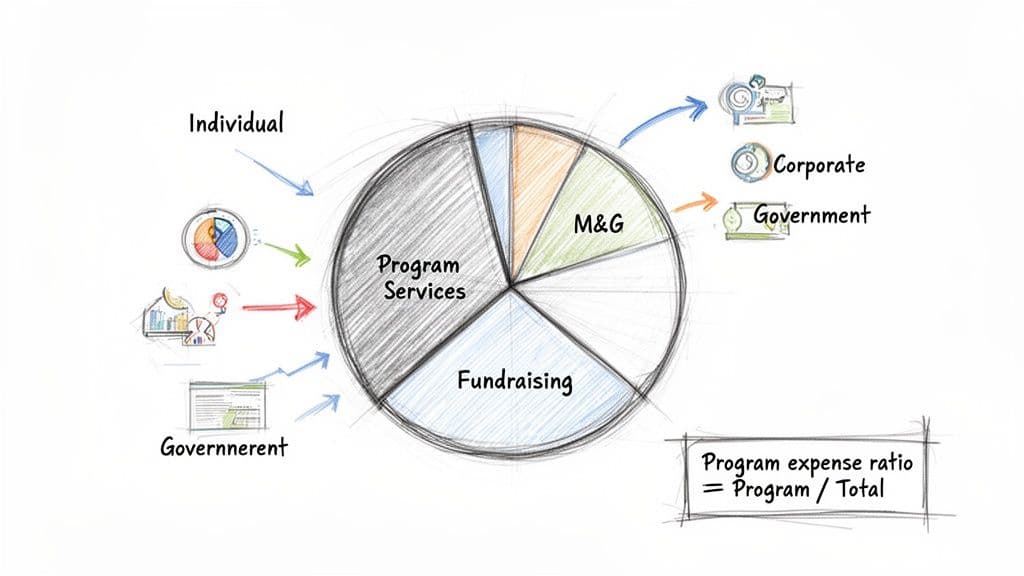
There are three core functional expense categories:
- Program Services: Costs directly tied to carrying out your mission.
- Management & General (M&G): Overhead costs like accounting, HR, and executive leadership.
- Fundraising: Costs incurred to solicit donations and grants.
"Your program expense ratio is the first metric savvy grantors look at. They want to see that the vast majority of funding goes directly to the mission, not to overhead. A COA that clearly delineates these functional costs isn't just for compliance—it's your most powerful fundraising tool." — Grant Officer, Major Philanthropic Foundation
Calculating the Program Expense Ratio
Let's walk through a real-world example. Imagine a nonprofit with $1,500,000 in total annual expenses. If your COA is set up correctly, calculating your program expense ratio is simple.
First, sum up the expenses tagged to each functional area:
- Total Program Services Expenses: $1,200,000
- Total Management & General Expenses: $180,000
- Total Fundraising Expenses: $120,000
The formula is straightforward: Program Expense Ratio = Total Program Services Expenses / Total Expenses
$1,200,000 / $1,500,000 = 0.80 or 80%
This organization has a strong program expense ratio of 80%. According to CharityNavigator, a ratio of 75% or higher is considered the benchmark for most nonprofits, signaling efficiency to funders. A well-designed COA lets you pull this number in minutes and defend it with confidence.
Using Classes to Unlock Deeper Financial Insights
Your chart of accounts tells you what you spent money on—salaries, rent, program supplies. To truly understand your nonprofit's financial health, you need to know why. This is where class tracking becomes your most powerful tool.
Think of classes as a second dimension you add to every transaction in your accounting software, like QuickBooks or Xero. They let you move beyond a flat list of expenses and start generating multi-dimensional reports your board and funders demand. You stop just reporting total expenses and start answering strategic questions about program efficiency and sustainability.
For instance, your chart of accounts has a line for "Program Supplies." With classes, you can tag each supply purchase to either your "After-School Tutoring" program or your "Summer Leadership Camp." Suddenly, your Profit & Loss statement can be filtered to show the specific financial performance of each program. This is the level of detail that proves impact and justifies your next funding request.
A Real-World Scenario: Tracking a Restricted Grant
Let's walk through a common situation: you just received a $50,000 restricted grant for your "Summer Leadership Camp," and you must track every dollar to prove you used it correctly.
Here’s how you handle this flawlessly with classes.
First, you create a new class in your accounting software called "Summer Leadership Camp Grant." This class is the tag you apply to every related transaction.
Next, you record the grant income. When the $50,000 hits your bank, you code it with both the account and the class:
- Account: 4220 - Community Impact Grant
- Class: Summer Leadership Camp Grant
- Amount: $50,000
As you spend the money, you keep tagging. You buy educational materials for $10,000, pay a guest speaker $5,000, and cover venue rental costs of $15,000. Each expense transaction gets tagged with the "Summer Leadership Camp Grant" class.
This simple act of tagging transforms your accounting system from a historical record-keeper into a dynamic management tool. It ensures you are always audit-ready and can produce a detailed grant report in minutes, not days of painful spreadsheet work.
This detailed tracking builds the clear, insightful reports we talk about in our guide to creating financial dashboards for CEOs.
The Payoff: Program-Specific Reporting on Demand
At the end of the summer, the foundation asks for a report. Because you used classes, you just run a "Profit & Loss by Class" report.
The report gives you a clean, isolated financial statement for the grant:
| Account | Amount |
|---|---|
| Revenue | |
| 4220 - Community Impact Grant | $50,000 |
| Total Revenue | $50,000 |
| Expenses | |
| 5100 - Program Supplies | $10,000 |
| 5200 - Professional Fees | $5,000 |
| 5300 - Facility Rental | $15,000 |
| Total Expenses | $30,000 |
| Net Income (Remaining Funds) | $20,000 |
You can now confidently report that you spent $30,000 of the grant on approved program expenses and have $20,000 left. There’s no guesswork, no frantic spreadsheet reconciliation, and no compliance risk.
"But Isn't Class Tracking Too Complicated?"
This is a common objection. Leaders worry that implementing class tracking will be too complex or time-consuming. While it requires initial setup and training, the long-term payoff is massive.
The alternative—not using classes—forces you into painful, manual reconciliations in Excel. That process is not just slow; it's incredibly prone to human error, which puts your funding at risk during an audit. Modern accounting software makes class tracking simple. The discipline to use it consistently is what separates financially mature nonprofits from the rest. The time you invest upfront is paid back tenfold in reporting efficiency and accuracy.
Red Flags: Common COA Mistakes That Jeopardize Funding
A sloppy Chart of Accounts is more than a bookkeeping headache; it's a direct threat to your funding. When your financial structure is a mess, it creates reporting chaos that funders and auditors will spot from a mile away. These are foundational problems that signal poor financial management.
Too many leaders inherit a COA and leave it alone. That's a huge mistake. As your programs and funding sources change, your financial backbone must change with them. An old, dusty COA will never tell your current financial story.
The Bloated COA Problem
The first trap is having too many accounts. Creating hundreds of granular expense lines for every possible purchase backfires completely. A bloated COA makes your financial statements impossible to read and hides the big-picture trends your board needs to see. Your Profit & Loss statement balloons into a ten-page monster that nobody can make sense of.
Overly Simplistic and Vague Accounts
The opposite extreme is just as dangerous. A COA with too few accounts makes it impossible to track program costs. Lumping all your grant money into a single "Contributions" account or all program spending into one "Program Expense" line is a surefire way to get an audit finding. This lack of detail makes real fund accounting impossible and destroys the transparency that funders require.
A nonprofit chart of accounts template must strike a balance. It needs enough detail for compliance but must remain simple enough for strategic oversight. Too much complexity is just as bad as not enough.
Well-designed nonprofit COAs can slash reporting time by 50%, and nonprofits with tailored COAs catch 30% more budget variances. On the flip side, 62% of nonprofits with a messy structure face audit delays that average 90 days. You can explore more findings on nonprofit COA efficiency here.
Failing to Separate Net Assets
This is the most serious error: failing to properly separate your net assets. This is a core requirement of Generally Accepted Accounting Principles (GAAP). Your COA must have separate accounts for Net Assets With Donor Restrictions and Net Assets Without Donor Restrictions. If you don't make this distinction, your Statement of Financial Position is flat-out wrong. It makes it look like you have more flexible cash on hand than you really do, which leads to disastrous financial decisions. If you're concerned about compliance, our guide on how to prepare for an audit provides a clear roadmap.
Use this quick checklist to spot red flags:
- Readability Check: Can a board member understand your P&L in under five minutes? If not, it’s too bloated.
- Grant Reporting Test: Can you pull a report for a single restricted grant in less than 15 minutes? If not, your accounts are too vague.
- Net Asset Audit: Does your balance sheet clearly show separate totals for assets with and without donor restrictions? If not, you’re out of compliance.
Putting Your New Chart of Accounts Into Action
Understanding a good COA is one thing; implementing it is where the work begins. This is when you translate the strategic framework into the financial backbone that will support your mission for years. It requires a clear, deliberate plan.
| Step | Action | Why It Matters |
|---|---|---|
| 1. Start with a Template | Download our pre-built nonprofit chart of accounts template as your starting point. | Saves you time and ensures your structure is built on proven best practices from the beginning. |
| 2. Get Stakeholder Buy-In | Pull your finance lead, key program managers, and executive director into a working session to tailor the template. | Guarantees the COA reflects your specific programs and grant requirements, making it a tool for everyone. |
| 3. Map to Your Software | Carefully map your new COA to your accounting software. For guidance, see our article on choosing the right accounting software for a growing business. | Ensures a clean import of the new structure without losing or corrupting any historical data. |
| 4. Schedule Annual Reviews | Make it a formal process to review the COA at least once a year, alongside your budgeting process. | A COA is a living document. This keeps your financial foundation aligned with your strategic goals. |
The visual below outlines the exact red flags this implementation plan helps you avoid—a bloated, vague, or unclassified COA.
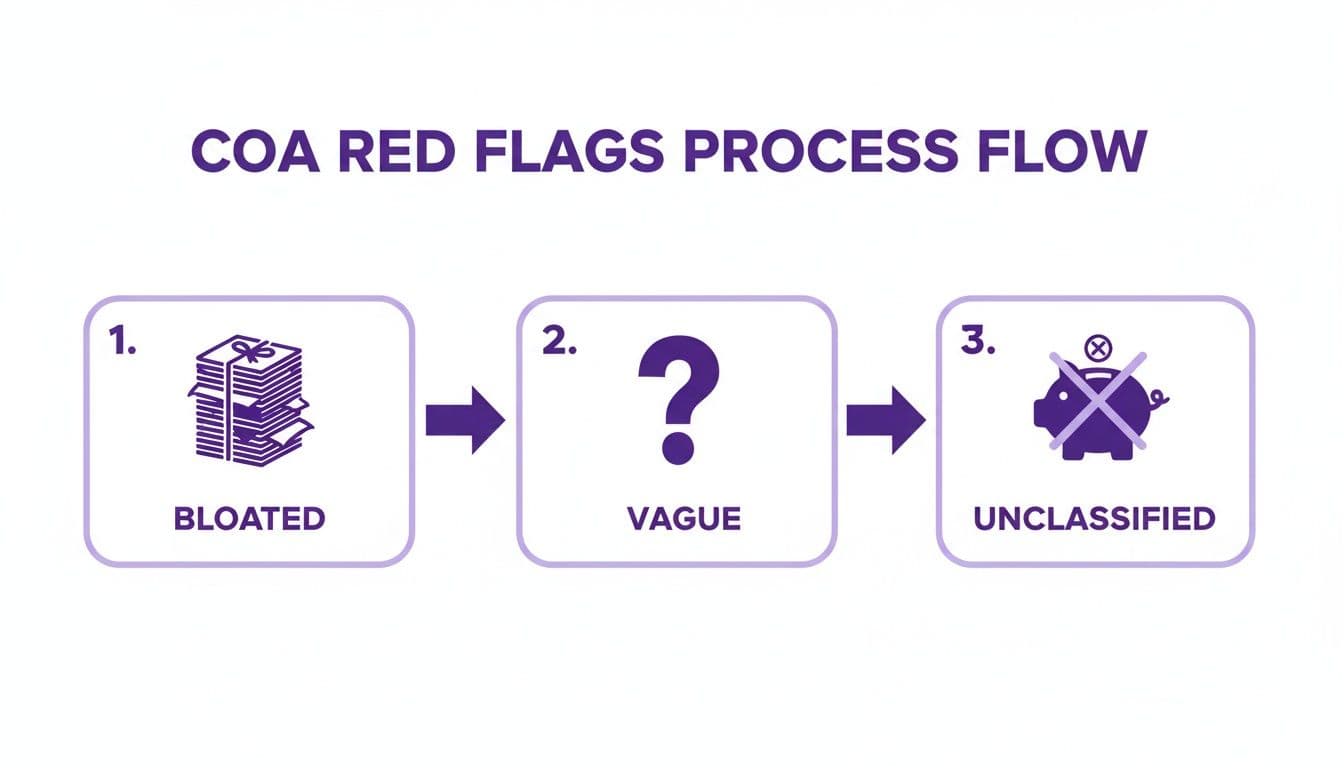
This process flow makes it clear: an overly complex or poorly defined chart of accounts leads directly to compliance headaches and reporting failures. For organizations that need an expert hand to guide them through this critical implementation, the next step is to schedule a consultation. We will ensure your financial foundation isn’t just compliant, but built to scale with your mission.
Your Top Chart of Accounts Questions, Answered
Over the years, I’ve heard the same questions from hundreds of nonprofit leaders trying to get their financial houses in order. Let's tackle the most common ones.
How Should We Categorize Revenue and Expenses?
You must organize your income and spending based on where the money came from and how you used it. This is non-negotiable for compliance and grant reporting.
For revenue, create distinct parent accounts to track your different funding streams:
- 4100 Individual Donations
- 4200 Foundation Grants
- 4300 Corporate Sponsorships
- 4400 Earned Program Fees
For expenses, one rule trumps all others: functional classification. Every dollar you spend must be allocated to one of three buckets: Program Services, Management & General, or Fundraising. This structure is critical for calculating your program expense ratio—a key metric every major funder will scrutinize.
How Often Should We Update Our Chart of Accounts?
Your Chart of Accounts is a living document. Review it at least once a year, alongside your annual budgeting process, to ensure it still reflects how your organization operates.
Beyond the annual check-in, an update is essential whenever your nonprofit hits a major milestone, like:
- Launching a significant new program.
- Securing a major restricted grant with specific tracking needs.
- Changing your operational structure in a meaningful way.
"A stagnant Chart of Accounts tells a story of a stagnant organization. As your mission evolves, your financial framework must adapt to accurately reflect your new reality and strategic priorities. Don't let your financial structure fall out of sync with your operational reality." — CPA & Nonprofit Financial Consultant
Keeping your COA current ensures your financial records stay accurate, relevant, and useful for making strategic decisions.
How Does a COA Make Grant Reporting Easier?
A well-organized COA is the secret to stress-free grant reporting. It’s the backbone that lets you meticulously track every dollar from a specific grant against its intended expenses, giving you an airtight way to prove you met all donor restrictions.
When you land that big restricted grant, you use a dedicated revenue sub-account or a "class" in your accounting software to tag every related transaction. This creates a clean, undeniable audit trail.
So when a grantor asks for a report, you won't be scrambling for days digging through messy spreadsheets. Instead, you'll just run a "Profit & Loss by Class" report. In minutes, you can show them exactly how their funds were used. That level of transparency doesn't just satisfy the current grant—it builds the trust that secures the next one.
A properly structured Chart of Accounts is the foundation of financial clarity and strategic growth. The expert team at Jumpstart Partners can help you design and implement a COA that provides the visibility you need to scale your mission with confidence. Schedule a consultation today.