Financial Operations
Accounts Payable Automation Software: Founder's Guide
Find the best accounts payable automation software with our founder's guide. Learn about features, ROI, vendor selection, integrations, and implementation.
ByJumpstart Partners, CPA, QuickBooks ProAdvisor
··18 min readManual Accounts Payable is expensive in a way many founders underestimate. On the numbers alone, the gap is brutal, about USD 9.40 per invoice when you process it manually versus roughly USD 1.50 to USD 3.00 when automation handles it, and only 32.6% of invoices are touchless across the industry, which means many teams are still paying a human tax on every bill that hits the inbox (Nexus AP statistics). That's why accounts payable automation software is not a clerical upgrade. It's a control system that decides how fast cash moves, how well you prevent errors, and how much evidence you have when an auditor asks questions.
The real decision isn't whether AP gets digitized, it's whether you want invoices governed by process or by inbox chaos.
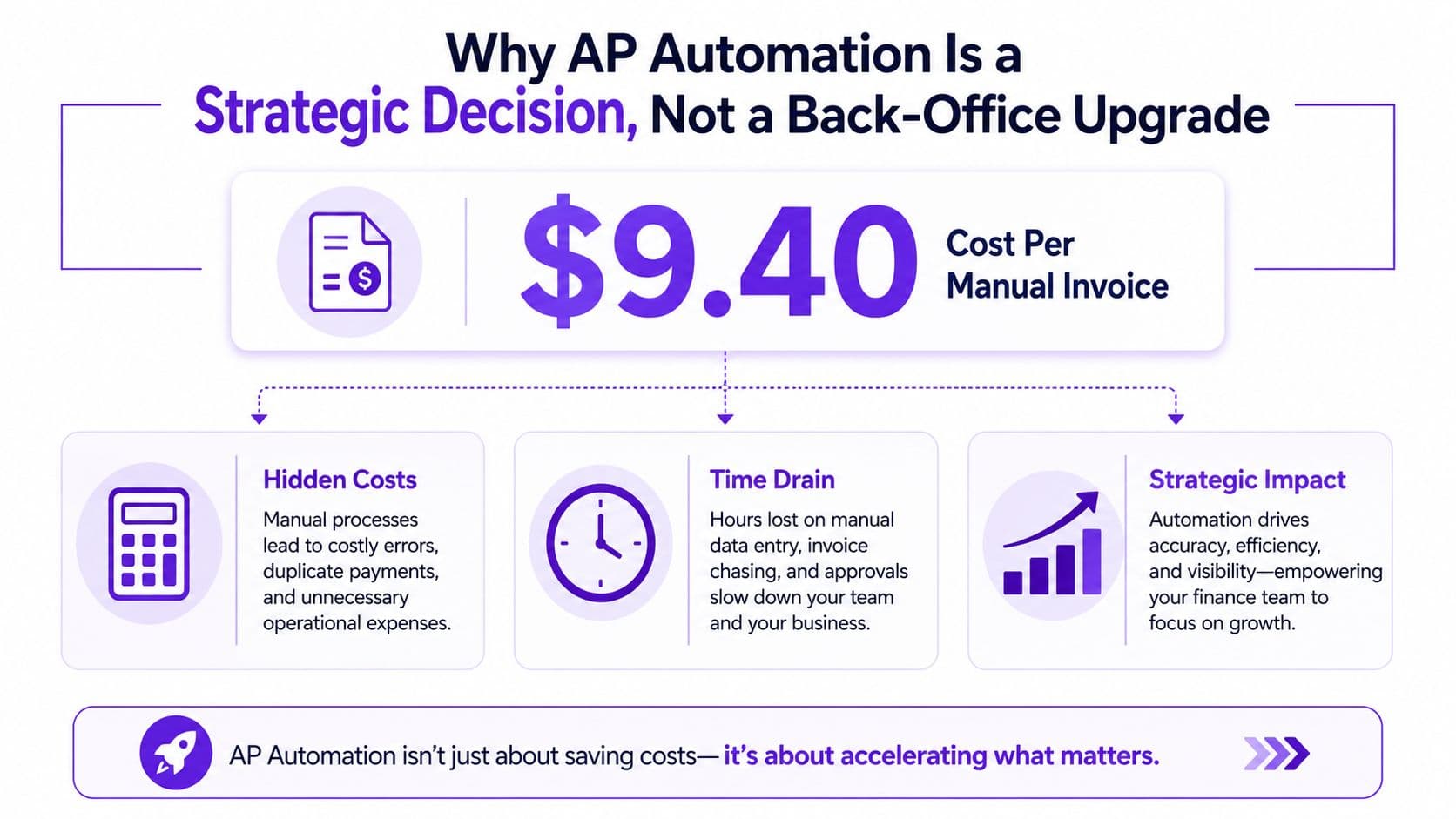
Table of Contents
- Why AP Automation Is a Strategic Decision, Not a Back-Office Upgrade
- What Accounts Payable Automation Software Actually Does
- The ROI Math Most Vendors Won't Show You
- Core Features That Separate Real Platforms From Invoice Scanners
- Integrations That Actually Work in Production
- Red Flags and the Hidden Risk of Post Go-Live Control Drift
- A 90-Day Implementation Roadmap You Can Actually Follow
- Choosing the Right Software and What to Do Next
Why AP Automation Is a Strategic Decision, Not a Back-Office Upgrade
The core decision is whether AP gets digitized in a way that improves control, or whether your team keeps paying for manual handling every time an invoice lands. Benchmarks cited in 2026 put the average manual invoice cost at about USD 9.40, while automated processing drops it to roughly USD 1.50 to USD 3.00 per invoice (Nexus AP statistics). That spread is a unit-economics problem, not a convenience issue. Once invoice volume moves from a few hundred to a few thousand, the wasted time shows up directly in operating expense.
AP is a control problem, not a typing problem
AP software earns its place because invoice handling affects approval integrity, payment timing, exception management, and audit readiness. Market growth backs that up, with the global AP automation market estimated at USD 3.07 billion in 2023 and projected to reach USD 7.1 billion by 2030, a 12.5% CAGR, while another estimate puts it at USD 6.94 billion in 2026 and USD 12.46 billion by 2031 with a 12.44% CAGR (Grand View Research). That kind of expansion only happens when finance teams start treating AP as core infrastructure.
The majority of mid-market finance teams still absorb a manual tax through invoice chasing, approval follow-up, and rekeying work. Founders wait until invoices are lost, approvals stall, or month-end close slips, then try to repair the process under pressure. That costs more than setting up a controlled workflow before the friction compounds. If your revenue is in the $1M to $5M ARR range, AP automation deserves the same attention you'd give billing, CRM, or payroll.
A control-system decision changes the questions you ask vendors. You want to know how they handle approval routing, exception logs, policy enforcement, segregation of duties, and audit trails in production, not just how fast they can scan a PDF. The finance operating model view in financial operations management is the right frame here, because AP sits inside the cash and controls stack.
Treat AP software as a control layer, and you'll design better workflows. Treat it as a scan-and-forward tool, and you'll recreate the mess in digital form.
That control mindset also explains why the category keeps expanding. Buyers are not paying for data entry relief alone. They are buying a system that changes how invoices move, who can approve them, when cash leaves the business, and how clean the audit trail stays when someone asks for proof.
What Accounts Payable Automation Software Actually Does
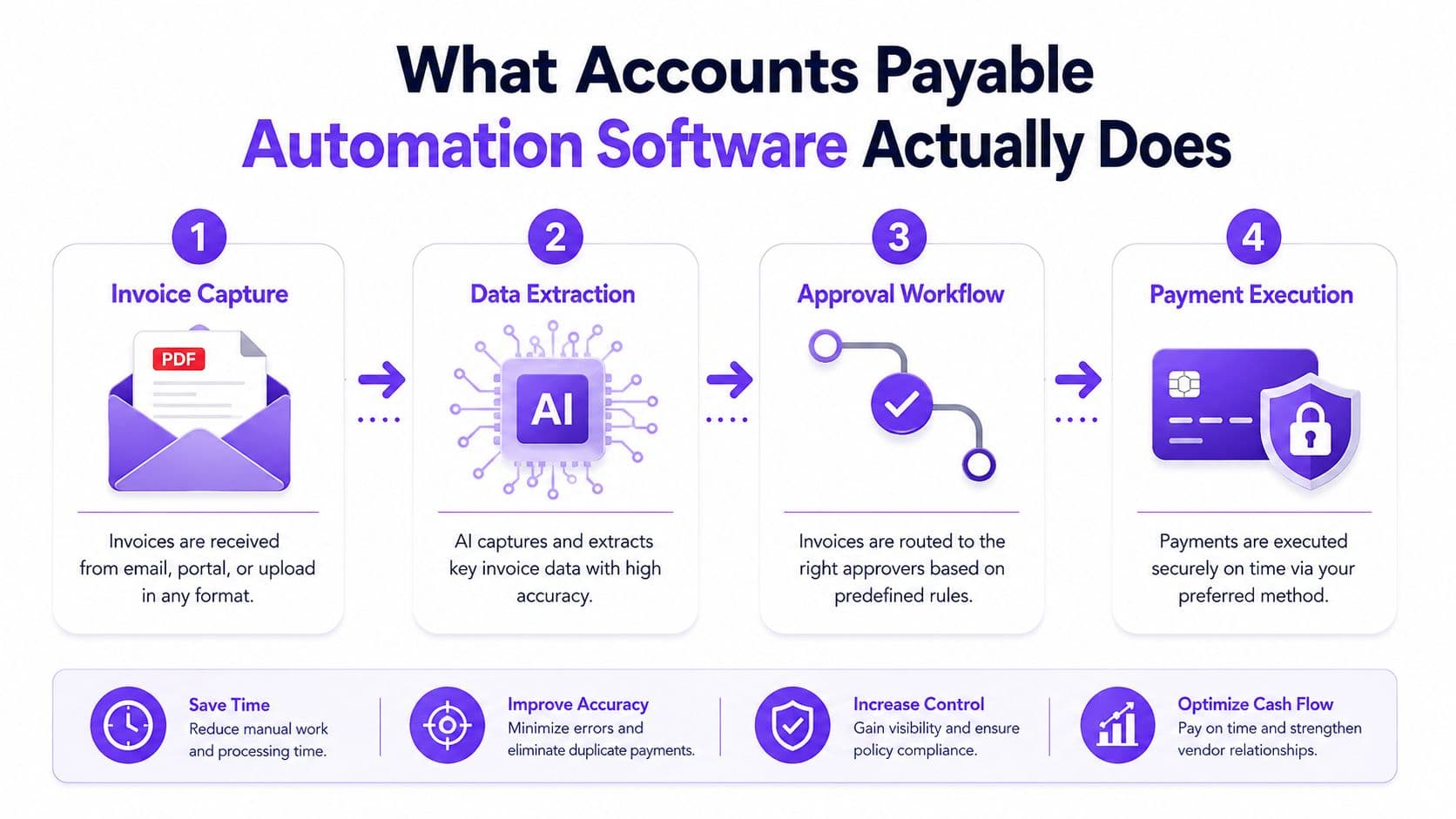
A real AP platform handles the invoice lifecycle first, then wraps control tasks around it. It pulls invoices from email, PDF, scans, supplier portals, or EDI, extracts header and line-item data with AI-enhanced OCR, checks the invoice against source documents, routes it for approval, syncs it to the ERP, and then triggers payment. Speed matters, but the value is that the invoice moves through a governed workflow instead of bouncing around in inboxes.
The six mechanics that matter in production
Here's the workflow you should expect in a serious system:
- Invoice capture, the platform ingests documents from multiple channels, not just one mailbox.
- Data extraction, OCR and AI read invoice numbers, dates, totals, vendor names, and line items.
- Matching, invoices get checked against purchase orders and receipts with 2-way, 3-way, or even 4-way matching at the line level for price, quantity, tax, freight, and tolerance controls (HighRadius).
- Workflow routing, approvals are sent based on amount, vendor, project, or business unit.
- ERP sync, approved bills and status changes flow back into accounting records.
- Payment execution, the platform can support ACH, wire, virtual card, or check once the invoice is approved (Stampli).
That is why AP automation works like a control system. The software checks source-of-truth data before money leaves your account, and it leaves a trace every time someone touches the invoice.
A practical guide to the workflow is the How to automate accounts payable resource. The implementation details matter more than the marketing terms.
Practical rule: if a platform only digitizes invoices but doesn't validate, route, and log them, you've bought scanning, not automation.
The ROI Math Most Vendors Won't Show You
Founders do not need a polished ROI slide. They need arithmetic they can defend in a budget meeting, and they need it tied to control, not just labor reduction.
Start with a business processing 5,000 invoices per year. At the USD 9.40 manual benchmark, that is USD 47,000 in direct processing cost each year. If you automate at a midpoint of USD 2.50 per invoice, the direct cost drops to USD 12,500. That gives you USD 34,500 in annual savings before you count labor reallocation or error reduction, which is the part vendors usually bury.
Manual versus automated cost comparison
| Metric | Manual AP | Automated AP | Annual Savings |
|---|---|---|---|
| Cost per invoice | USD 9.40 | USD 2.50 | USD 6.90 |
| Invoices per year | 5,000 | 5,000 | 0 |
| Annual processing cost | USD 47,000 | USD 12,500 | USD 34,500 |
That is the cleanest number. The more important number is what happens after you buy the software. Touchless processing still sits at 32.6% of invoices industry-wide, and 14% of invoices still need manual exception handling, so a platform that cuts exceptions has value beyond data entry savings. Analysts at vendors such as Nexus AP statistics show the gap is real, and the control benefit is even more important than the labor figure. Matching before approval also cuts downstream mistakes, which matters when you are trying to stop bad spend before it clears.
Do not underwrite the deal on a fantasy payback model. A realistic budget for software and implementation is often in the USD 30,000 to USD 60,000 range for a growing company, so payback can land within a year if invoice volume is steady and your AP team currently loses time to inbox chasing and rekeying. I would still judge the purchase on direct processing savings first, then treat staff time recovery and lower rework as upside.
A better way to sanity-check the decision is the controller services ROI analysis, because the same logic applies when you compare software spend against finance labor drag. If the software does not reduce approvals friction, rework, and exception handling, the model falls apart fast.
For the broader operating model behind that math, use the guide to smarter operations as a reference point.
If your math only works after you assume perfect behavior, the business case is weak. Use direct invoice savings first, then treat the rest as upside.
Core Features That Separate Real Platforms From Invoice Scanners
A lot of tools sell themselves as AP automation and then stop at document upload. That is invoice capture, not control. A serious platform captures invoices, validates them, routes them, syncs them, and preserves an audit trail, because those are the mechanics that control cash and cut rework (IBML). The gap between a polished demo and a system you can trust shows up fast in production.
Table stakes versus differentiators
| Capability | Table stake or differentiator | Why it matters |
|---|---|---|
| OCR invoice capture | Table stake | Gets data out of PDFs and scans |
| Approval workflows | Table stake | Enforces policy and ownership |
| ERP or accounting sync | Table stake | Keeps books aligned |
| Audit logging | Table stake | Preserves traceability |
| Multi-way matching | Differentiator | Catches mismatch risk before payment |
| Supplier portal | Differentiator | Reduces inbox chaos and status chasing |
| Fraud anomaly detection | Differentiator | Flags suspicious patterns before disbursement |
| Multi-currency support | Differentiator | Helps multi-entity or cross-border teams |
| Mobile approvals | Differentiator | Removes bottlenecks for distributed leaders |
| AI-driven coding | Differentiator | Cuts manual classification work |
The systems worth your attention use multi-channel invoice ingestion plus AI-enhanced OCR with accuracy above 95%, then apply matching at the line level, not just the header level (HighRadius). They also route by amount, category, project, business unit, or vendor, with role-based approvals and ERP sync so the workflow is enforceable rather than advisory (Precoro). That turns AP software into a control environment instead of a shared folder with better branding.
If you want a clean way to think about adjacent automation categories, the guide to smarter operations from Lynkro.io is useful because it frames automation as process design, not feature shopping.
The feature test I use in demos
Ask the vendor three questions, and do not let them dodge:
- Can it match invoices at the line level? If not, it is weak on controls.
- Can it explain every routing decision? If not, auditors will hate it.
- Can it handle exceptions without someone living in email? If not, you will rebuild your old process in a new UI.
A real AP platform prevents overpayment by validating invoices before approval, rather than logging errors after disbursement.
For a product selection lens that goes deeper on vendor fit, use the best accounts payable automation software guide as a shortlist filter, not a final answer.
Integrations That Actually Work in Production
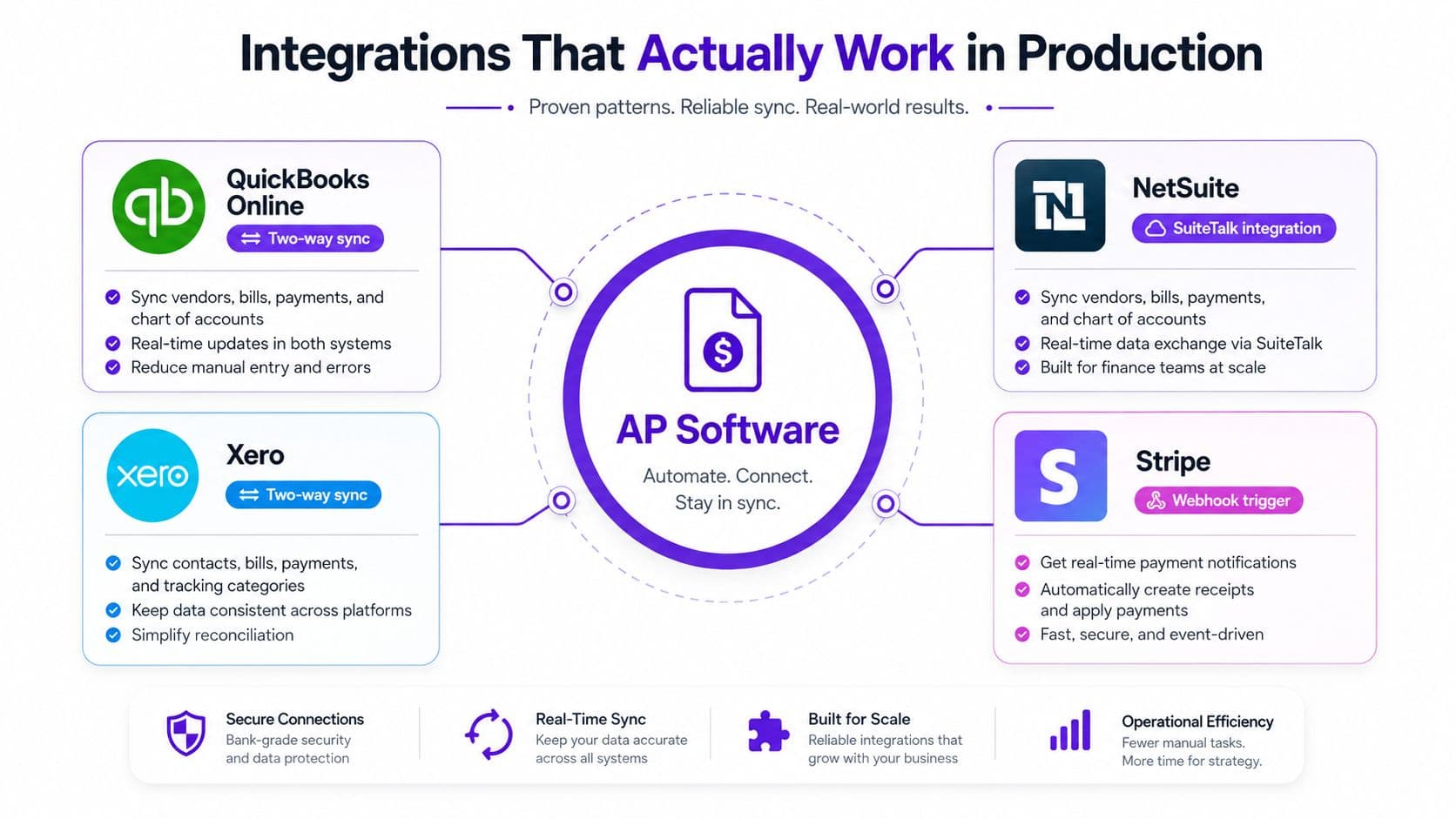
Integration is where AP projects succeed or fail. A demo can look polished and still break the first time it meets your chart of accounts, tax setup, or multi-entity structure. In production, the question is blunt. Does the AP system exchange the right objects with the rest of your stack, and does it do it without creating reconciliation work?
What to expect from common stacks
QuickBooks Online and Xero. These usually wire up fastest because the accounting objects are simpler, but chart-of-accounts mapping is where teams get burned first. If your AP tool cannot map vendor bills, tax codes, and payment statuses cleanly, the books drift. The first integration ticket should focus on vendor sync, GL mapping, and bill posting rules, not dashboard cosmetics.
NetSuite. Complexity shows up fast here. The integration has to respect entity structure, approval routing, and field-level matching, or finance ends up with duplicate work and messy reconciliation. The longest configuration step is usually mapping approval logic to the way the close works, not connecting the API.
Stripe. AP software does not integrate with Stripe in a generic way. In production, the work is about payment data, fee treatment, and reconciliation logic across systems. Fee handling is where teams get surprised, especially if they expect every transaction to behave like a simple bill payment.
Shopify. The connection matters when AP sits inside a wider e-commerce finance stack. It is less about invoice automation itself and more about keeping vendor-related transactions, payouts, and records clean across systems.
If you are working with a systems partner, the system integration guide from Blowfish Technology is a useful reminder that business objects come first and software comes second.
The fastest integration is the one that respects your accounting structure on day one. If your implementation partner cannot explain how that structure will be preserved across invoices, approvals, and payments, you are buying rework.
The fastest integration is the one that respects your accounting structure on day one.
Red Flags and the Hidden Risk of Post Go-Live Control Drift
Automation doesn't erase mistakes. It changes their shape. Before go-live, you see errors as typos, missed invoices, and late approvals. After go-live, the risky failures hide inside configuration, matching, and routing logic, which makes them harder to spot and easier to ignore. That's the part most vendor guides avoid, and it's the part I care about most.
The warning signs that matter
A small error rate can still become material once labor and reprocessing costs are added, and even a 2% to 3% error rate can matter when those costs are quantified (Phacet Labs). That means post-launch monitoring is not optional.
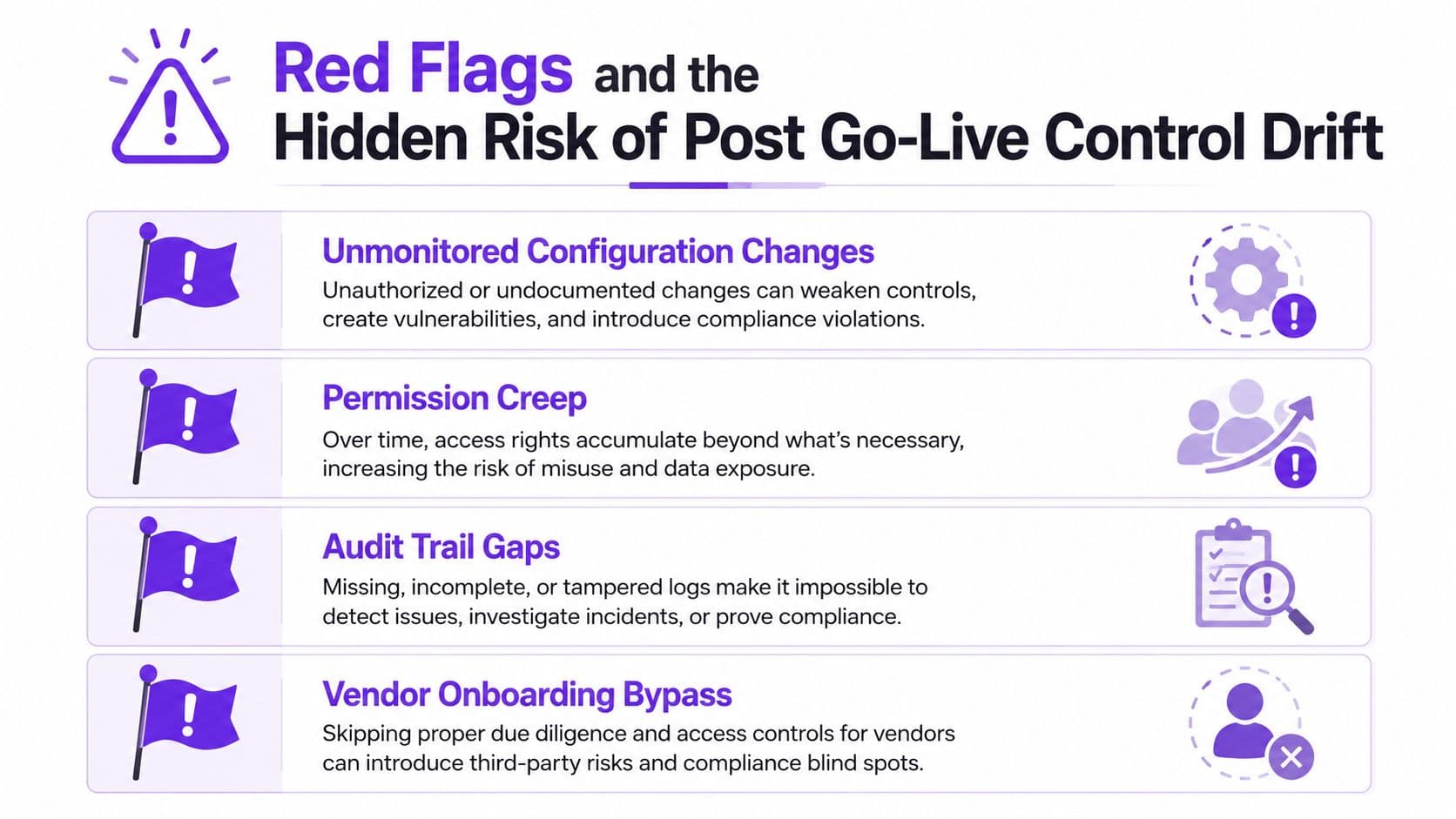
Watch for these signals:
- Unmonitored configuration changes. If approval rules change without a documented review, control discipline is slipping.
- Permission creep. If too many people can edit workflows, auditability gets weaker.
- Audit trail gaps. If you can't reconstruct who approved what and when, the system isn't behaving like a controls tool.
- Vendor onboarding bypass. If suppliers are still sending invoices outside the portal, your exception data gets dirty fast.
What to audit after launch
At 30 days, check whether approval thresholds match the policy you set and whether any routing rules were edited outside the change process.
At 60 days, review exception volume, supplier compliance with the new intake path, and whether approvers are skipping steps.
At 90 days, sample invoices end to end and confirm the audit trail, matching logic, and ERP sync still line up with reality.
The cleanest vendor question is this, how do you surface configuration errors separately from invoice errors? If the answer is vague, the platform may be hiding the risk rather than managing it.
For practical rollout discipline, the embedded video below is worth your time.
Control drift is what happens when the software works, but nobody keeps checking whether it still works the way finance intended.
A 90-Day Implementation Roadmap You Can Actually Follow
The biggest lie in AP software sales is that rollout is quick because the app is cloud-based. Software deployment is fast. Workflow design, supplier onboarding, and ERP mapping are not. If you want the project to succeed, you need a phased plan with owners and observable signals.
Days 1 to 30
The owner here should be your controller or finance lead, with support from whoever manages systems. The deliverable is a scoped implementation plan, a mapped approval matrix, and a pilot supplier list. Your metric is simple, the workflow must be configured around real invoice types, not sanitized samples.
Days 31 to 60
You pilot with 5 to 10 real suppliers, tune exceptions, and refine approval paths. The AP manager should own day-to-day testing while a systems lead handles ERP issues. By day 60, you want to see the pilot touchless rate moving in the right direction, and your approvers should no longer be confused by the new route logic.
Days 61 to 90
This is full rollout, supplier communication, and baseline measurement. The deliverable is a live process with documented controls, and the metric is whether invoices are flowing through the new system without constant manual rescue. At this point, you should also compare new-cycle behavior against your pre-automation pain points, especially around exception handling and payment timing.
A pragmatic rollout reference is the AP automation for small business guide, because the sequencing matters more than the software brand.
If the vendor can't give you a pilot plan, they're asking you to buy confidence instead of process.
Choosing the Right Software and What to Do Next
Choose accounts payable automation software the same way you would choose a financial system, with controls, auditability, and integration depth at the top of the list. A polished interface means little if the platform cannot support approval logic, logging, and clean handoffs to your ERP. The right purchase starts with a control-system view, because AP automation changes how cash leaves the business.
A simple vendor-selection scorecard
| Criterion | What good looks like |
|---|---|
| Security and compliance | Clear controls, access logging, and audit support |
| ERP integration depth | Bidirectional sync that fits your stack |
| AI maturity | Reliable extraction and coding, not just marketing language |
| Total cost | Software plus implementation, not sticker price only |
| Implementation support | Real onboarding help, not a support portal |
| Post-go-live controls | Change tracking, exception visibility, and audit trail integrity |
Use that scorecard to force the conversation out of demo theater and into operating reality. If a vendor cannot explain how it handles approval exceptions, audit trails, master data changes, and role-based access, it is not ready for a finance team that needs control. If you want a price-and-feature sanity check for early-stage tools, the startup accounting features and pricing resource is a useful comparison lens, especially if you are deciding whether AP automation belongs inside a broader accounting stack or as a standalone control layer.
A real selection process also needs a vendor comparison sheet. Score each platform on implementation support, integration reliability, reporting depth, and how well it handles exceptions after go-live. That is where weak products break down, because the demo usually shows the happy path and finance lives in the exceptions.
Common objections are easy to answer. “We're too small.” Invoice volume and process pain decide that, not ego. “We'll lose visibility.” That happens only when the tool is configured poorly. “Switching is too hard.” It is harder to keep losing invoices in email and rekeying the same data every week.
What to do in the next seven days
- List your invoice volume. Use actual monthly counts, not estimates.
- Map your approval bottlenecks. Identify where invoices stall.
- Review your ERP or accounting setup. Know exactly what needs to sync.
- Pick three vendors. Ask for production references, not only demos.
- Run one pilot on real invoices. Use live supplier documents, not clean samples.
Make the pilot about control, not convenience. Track whether approvals route correctly, whether exceptions are visible to the right owner, and whether posted invoices land in the ledger without manual cleanup.
If you need outside help, keep the scope narrow and operational. Jumpstart Partners is one option if you want the rollout handled as a finance project rather than a side task. It provides AP automation setup alongside controller and bookkeeping support, so the workflow, chart of accounts, and rollout logic can be managed together instead of pieced together by your team.
If the vendor can't give you a pilot plan, they're asking you to buy confidence instead of process.