Financial Operations
Best Accounting Software for Nonprofits: Top 10 Picks
Discover the best accounting software for nonprofits. We review 10 top tools, from QuickBooks to Sage Intacct, with pricing, pros/cons, & feature analysis.
ByJumpstart Partners, CPA, QuickBooks ProAdvisor
··24 min readAbout 70% of small nonprofits were reported to struggle with manual fund tracking before 2020, according to Aplos, and that number reveals the underlying problem. Bad accounting software does not just slow down bookkeeping. It creates reporting errors, longer closes, weak grant visibility, and preventable audit stress.
Start with size and complexity, not the feature list. That is the mistake most software roundups make. A $500,000 nonprofit with a few restricted funds does not need the same system as a $15 million organization managing multiple grants, departments, and entities. If you skip that distinction, you either overpay for complexity you will not use or trap your team in a tool that cannot support the reports your board, funders, and auditors expect.
This guide is built around three practical buckets. Small nonprofits need simple bookkeeping, basic restricted fund tracking, and a fast setup. Mid-market nonprofits need real fund accounting, stronger grant reporting, and cleaner monthly closes. Enterprise nonprofits need consolidation, controls, approvals, and implementation support. That framing matters more than a long list of features because software failure usually shows up in operations first, not in a demo.
The biggest decision for many teams is still QuickBooks versus dedicated nonprofit accounting software. Here is the plain answer. QuickBooks can work for smaller nonprofits with low reporting complexity and disciplined processes. It starts to break down when finance has to track one transaction across fund, program, grant, and department without rebuilding reports in Excel. At that point, you are no longer buying cheap software. You are buying recurring cleanup work.
A simple cost example makes this clear. If a tool costs $99 per month, you spend $1,188 per year before add-ons. At $235 per month, that becomes $2,820 per year. The difference is $1,632. If the higher-cost system saves even a few hours of manual reconciliation every month, shortens the close, or reduces one grant reporting fire drill, it usually pays for itself. If your needs are still basic, it does not.
Software also does not fix a broken finance process by itself. If your chart of accounts is messy, your reporting logic is inconsistent, or your team still builds budgets in disconnected spreadsheets, fix the process with stronger nonprofit budgeting practices and reporting structure before assuming a new platform will solve it.
Your goal is simple. Choose the system that matches your nonprofit’s current complexity and the next stage of growth. Then decide whether you need just software, or software plus expert help to configure it correctly. That is the difference between a cleaner close and another year of spreadsheet patchwork.
1. Sage Intacct
Sage Intacct is the strongest choice for nonprofits that have outgrown entry-level bookkeeping and need a real finance system. If you run multiple programs, manage grants with restrictions, or need board-ready reporting without Excel gymnastics, put this at the top of your list.
For mid-market and larger nonprofits, I recommend Sage Intacct when the finance team needs structure, not just software. Its nonprofit configuration is built around dimensions, which means you can track one transaction across fund, program, grant, department, and donor views without duplicating the entry.
Why it wins for complex nonprofits
Sage Intacct is especially strong where reporting complexity becomes operational friction. Martus cites 15% to 20% adoption among nonprofits over $5M in revenue, and user review averages of 4.7/5 across more than 2,500 reviews, which aligns with its reputation as the finance leader for larger organizations (Martus nonprofit accounting software rankings).
The business impact is straightforward:
- Cleaner grant reporting: You stop rebuilding reports manually every month.
- Faster closes: Your team spends less time stitching together program-level data.
- Better audit readiness: The system preserves reporting logic and transaction detail in one place.
Practical rule: If your controller is exporting data into spreadsheets just to produce a board packet, you've already outgrown small-business software.
A simple decision lens helps here. If your nonprofit has one entity, a limited number of restrictions, and basic board reporting, Sage Intacct is probably more than you need. If you have multiple grants, separate operating units, or recurring audit pressure, the cost of underbuying is higher than the subscription.
Best fit
I’d place Sage Intacct in the mid-market and enterprise category. It's best for nonprofits that need automation, strong internal controls, and reporting discipline. It also pairs well with stronger planning processes, especially if you're revisiting your nonprofit budgeting framework.
The downside is clear. Pricing is quote-based, implementation usually needs an experienced partner, and this isn't the system you buy if you want something running by Friday. But if you're preparing for scale, that tradeoff is worth it.
Use Sage Intacct for nonprofits if your main problem is complexity, not bookkeeping.
2. Blackbaud Financial Edge NXT
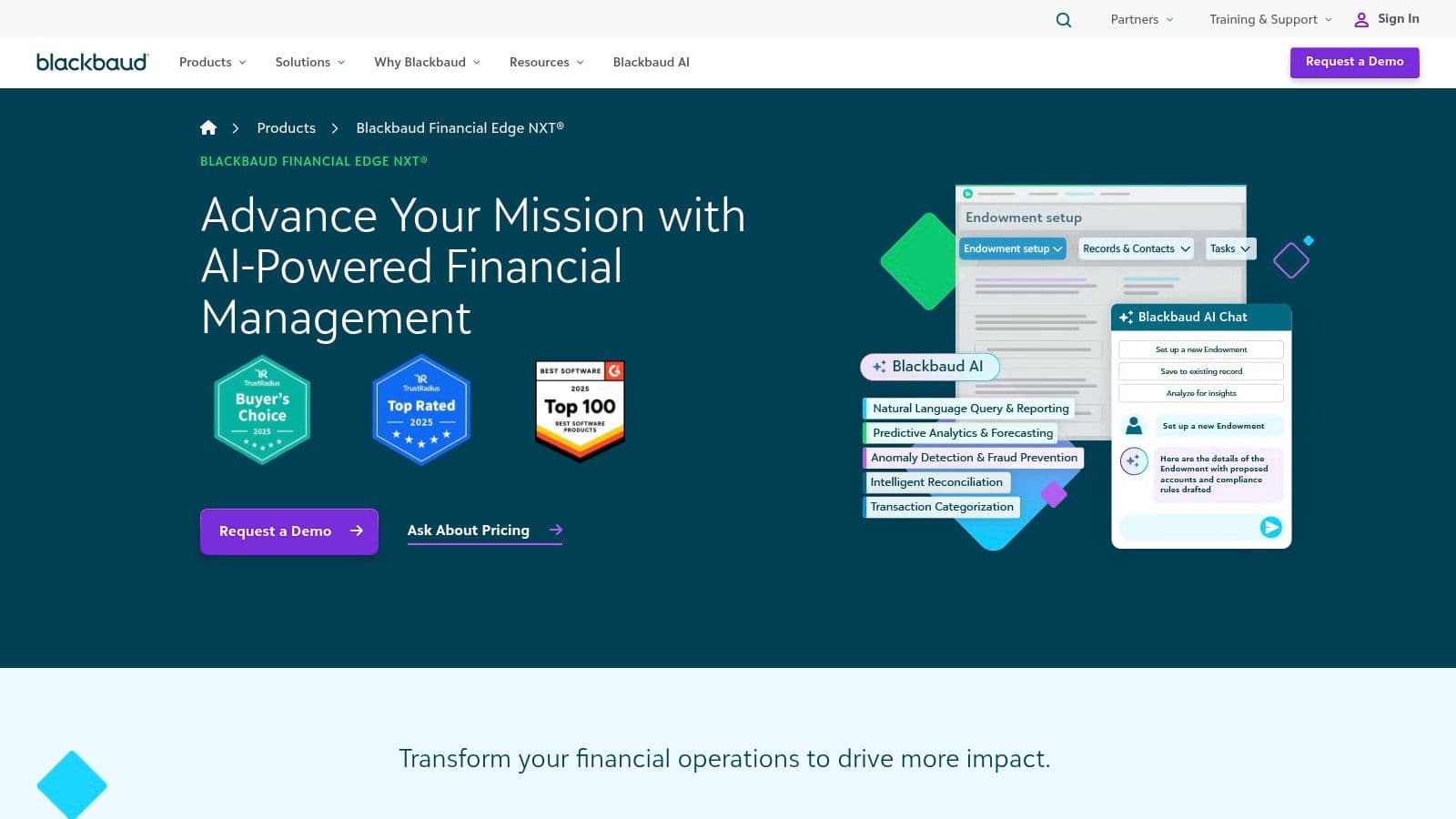
If your development and finance teams are constantly reconciling fundraising data by hand, Blackbaud Financial Edge NXT deserves serious attention. Its biggest strength isn't generic accounting. It's nonprofit-first accounting that aligns better with fundraising operations, especially when you're already inside the Blackbaud ecosystem.
This is one of the clearest cases where software choice affects cross-functional execution. When accounting and fundraising systems don't speak the same language, your finance team burns time cleaning up coding, and your development team loses confidence in revenue reporting.
Where Blackbaud makes sense
Blackbaud Financial Edge NXT fits midsize and large nonprofits that want restricted fund tracking, role-based controls, and tighter alignment with Raiser’s Edge NXT. That's the core reason to choose it. You're not buying it because it's cheap. You're buying it because operational alignment matters.
The strongest use case is a nonprofit that already relies on Blackbaud for donor management. In that environment, Financial Edge NXT can reduce the friction between gifts received, restrictions tracked, and reports delivered to leadership.
Finance and development should never be running two versions of donation truth.
That said, be clear-eyed about the tradeoff. Pricing is quote-based and usually premium. The value shows up when your organization uses the broader Blackbaud stack well. If you aren't doing that, this can become an expensive silo.
CFO recommendation
Choose Blackbaud Financial Edge NXT if your real problem is finance-development disconnect, not just accounting mechanics. It also supports stronger governance and cleaner executive reporting, which matters if your board wants consistent month-to-month financial narratives. For that side of the process, tighten your reporting discipline with these financial reporting best practices.
If your organization is small, finance-led, and not having a substantial investment in Blackbaud, skip it. You'll likely get more value from a simpler system with lower overhead.
You can review the platform directly at Blackbaud Financial Edge NXT.
3. MIP Fund Accounting
MIP Fund Accounting is for nonprofits that want depth, control, and a long-established fund accounting structure. It isn't the prettiest tool on this list, but that's not why teams buy it. They buy it because the system is built around nonprofit accounting logic from the ground up.
If your organization is grant-heavy, budget-driven, and wants granular control across funds and departments, MIP stays in the conversation.
Why some nonprofits still choose MIP
MIP has a modular structure and supports cloud or on-premise deployment. That's useful for organizations with specific IT preferences or stronger internal control requirements. It also has mature functionality around segmented accounting, budgeting, audit trails, and reporting.
This isn't a lightweight bookkeeping app. It's a system for organizations that care more about accounting architecture than interface polish.
- Strong fund structure: Better fit for organizations with layered restrictions.
- Module depth: Useful if you need more than GL and bank reconciliations.
- Deployment flexibility: Helpful for teams with nonstandard IT constraints.
The tradeoff is usability. Some teams find the workflows dated, and costs tend to rise as you add modules and users. That means MIP can be a strong operational fit but a weaker adoption fit if your staff expects modern SaaS ergonomics.
When I’d recommend it
I recommend MIP to agencies, associations, and grant-driven nonprofits that need true fund accounting but don't want to jump into a full ERP. It also works well for organizations that already think carefully about account structure and reporting logic. If your chart of accounts is messy, the software won't fix that on its own. You need a stronger fund accounting foundation for nonprofits first.
MIP is not my first choice for founder-led nonprofits that need speed and simplicity. It is a good choice for finance teams that want control and can handle a more traditional system design.
See the platform at MIP Fund Accounting.
4. Oracle NetSuite
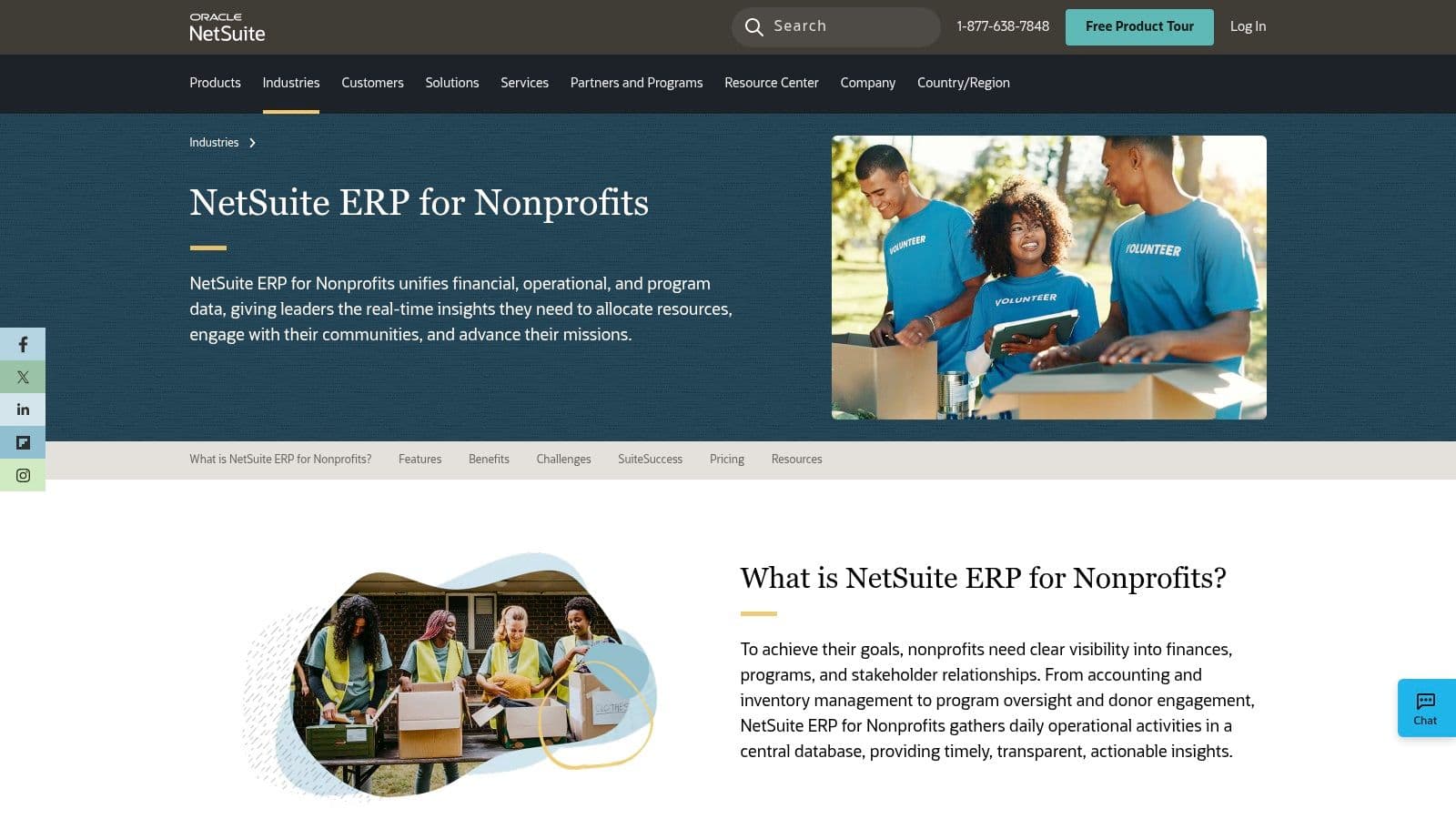
NetSuite is the enterprise answer. If your nonprofit operates across entities, currencies, programs, or geographies, and accounting is only one part of a larger operational system problem, NetSuite belongs on your shortlist.
I don't recommend NetSuite for small nonprofits. I recommend it for organizations that need ERP breadth. That includes procurement, project tracking, consolidations, and global operations alongside finance.
Best for national and international complexity
One underserved issue in nonprofit software selection is international fund accounting compliance. US-focused tools talk a lot about Form 990, but global nonprofits also have to deal with currency movement, entity structures, and local process variation. The US Chamber background notes a lack of practical guidance in the market on this issue, even as teams look for better support around global operations (US Chamber nonprofit accounting tools overview).
That gap matters. If your nonprofit receives cross-border donations or manages multiple country entities, software design affects reporting quality directly.
Global nonprofits need more than a good general ledger. They need a system that respects entity, currency, and restriction complexity at the same time.
NetSuite's nonprofit and social impact offerings make sense when those layers are real, not hypothetical. Its broad ERP footprint can bring finance, procurement, and operational data closer together. The Social Impact program may also reduce license costs for eligible organizations, though implementation still remains a major project.
CFO recommendation
Choose NetSuite if your nonprofit is complex enough to justify a platform strategy, not just an accounting upgrade. Avoid it if you're trying to solve a bookkeeping problem with enterprise software. That's a fast way to overpay and underuse the system.
For qualified organizations, NetSuite Social Impact is worth evaluating.
5. Aplos
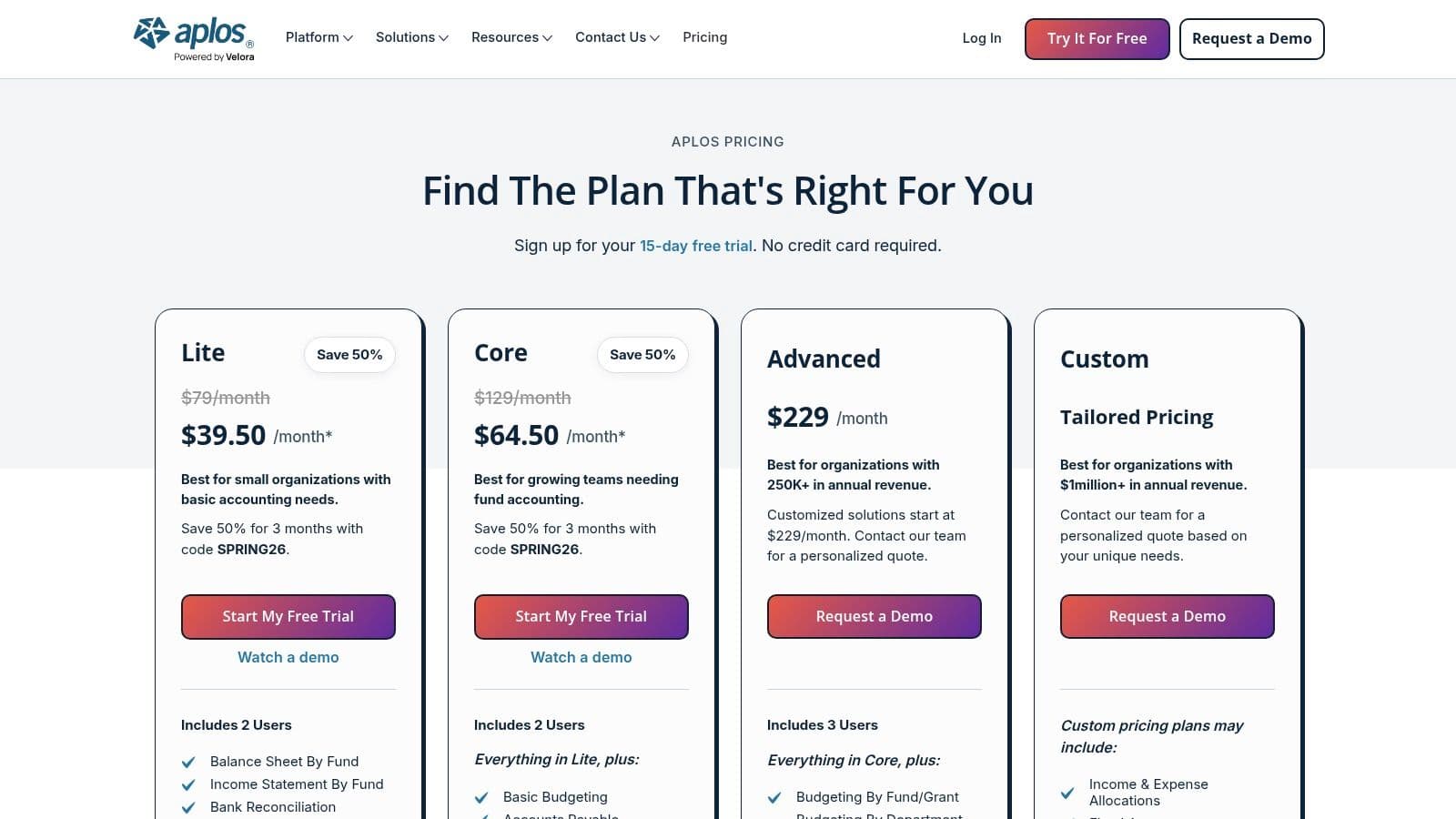
Aplos is the clearest pick in this list for small nonprofits that have outgrown basic bookkeeping but do not need mid-market complexity. If your annual budget is under $1 million and your team needs fund accounting, donation tracking, and board-ready reporting in one system, Aplos is usually the right answer.
That positioning matters. This guide separates software by size and operating complexity, not by feature volume alone. Aplos fits the Small category well because it handles nonprofit basics without the implementation cost, training burden, and process redesign that come with larger systems.
Where Aplos fits best
Aplos works best for organizations that need to track restricted and unrestricted activity cleanly, close the books without spreadsheet gymnastics, and give leadership a clearer view of cash and program spending. That is the central QuickBooks versus dedicated nonprofit software decision. It is not about whether both tools can produce reports. It is about how much manual correction your finance team must do every month to get to a report you can trust.
Here is the practical example. If your bookkeeper has to reclassify donor-restricted revenue by hand, rebuild fund balances in Excel, and explain report inconsistencies before every board meeting, your software is creating cost. Even one extra hour a week of cleanup turns into a meaningful drain on a lean finance team. Aplos reduces that burden because funds, donations, and nonprofit reporting are built into the core setup.
I recommend Aplos for executive directors and finance leads who want a faster path to usable reporting and fewer workarounds. It is also a sensible option if you are deciding how to choose accounting software as your organization grows.
The limitation is straightforward. Aplos is not the right tool for nonprofits with multi-entity structures, heavy grant compliance demands, or finance teams that need deeper customization across purchasing, approvals, and segmented reporting. At that point, the issue is not buying another entry-level product. It is deciding whether you need a more capable platform or outside accounting support to clean up processes before you switch systems.
CFO recommendation
Choose Aplos if your nonprofit wants dedicated nonprofit accounting software without taking on enterprise cost and complexity. Skip it if your organization is already operating like a mid-market finance department. In that case, buying a simpler tool usually delays the necessary fix.
Use Aplos pricing and product details if you want a nonprofit-native option that fits a lean team.
6. AccuFund Accounting Suite
AccuFund sits in a useful middle ground. It gives you nonprofit-specific fund accounting and modular depth without forcing you into a full enterprise ERP from day one.
That makes it a practical option for organizations that are too complex for entry-level tools but not ready for the cost and implementation weight of a bigger platform.
Where AccuFund fits best
AccuFund is a fit for nonprofits that want configurable modules like grants, allocations, purchasing, and fixed assets. It also supports cloud and on-premise deployment, which can matter if your organization has stronger internal IT requirements.
The reason to buy AccuFund isn't brand recognition. It's control. You can shape the system around your finance operation in a way that many lightweight products don't allow.
- Good for staged growth: Add modules as your needs increase.
- Better than generic SMB tools for restrictions: Built around nonprofit accounting logic.
- Useful for finance-led teams: Stronger fit when a controller or experienced accountant is driving setup.
The main drawback is the interface. It feels more utilitarian than modern SaaS platforms, and public pricing is limited. That means evaluation often requires a more hands-on sales process than smaller teams want.
CFO view
I’d recommend AccuFund to nonprofits that know they need true fund accounting and reporting depth but want to avoid overcommitting to a full ERP. It's especially relevant if your organization has a competent finance lead who can own system structure and reporting logic.
If your nonprofit prioritizes speed, volunteer usability, and a modern interface over accounting depth, there are easier tools on this list. If accuracy and modular control matter more, AccuFund is worth a close look at AccuFund Accounting Suite.
7. FUND EZ
FUND EZ is a straightforward nonprofit accounting platform for teams that want core fund, grant, donor, and budgeting functionality without chasing a massive software rollout. It doesn't try to be everything. That's part of the appeal.
For small to midsize nonprofits that need fund accounting basics in a familiar package, FUND EZ can be a sensible operational choice.
Why teams choose it
FUND EZ supports cloud subscription or server licensing, which gives organizations options. It also covers core accounting workflows, including general ledger, AP, AR, bank reconciliations, and donor-related tracking.
This is not the tool I'd pick for advanced automation or broad app ecosystem depth. It is a better fit for nonprofits that value stable nonprofit-oriented workflows and don't need a large integration marketplace.
If your team needs software that staff can understand quickly, simplicity beats software ambition.
The biggest caution is the user experience. Compared with newer SaaS products, the interface is less modern. That won't matter to every finance team, but it matters a lot when adoption depends on non-accountants using the system consistently.
Recommendation
Choose FUND EZ if you want practical nonprofit accounting functionality and flexible deployment, and your team values clarity over polish. Skip it if app integrations and modern workflow design are central to your operating model.
You can evaluate it directly at FUND EZ nonprofit software.
8. Araize FastFund Online
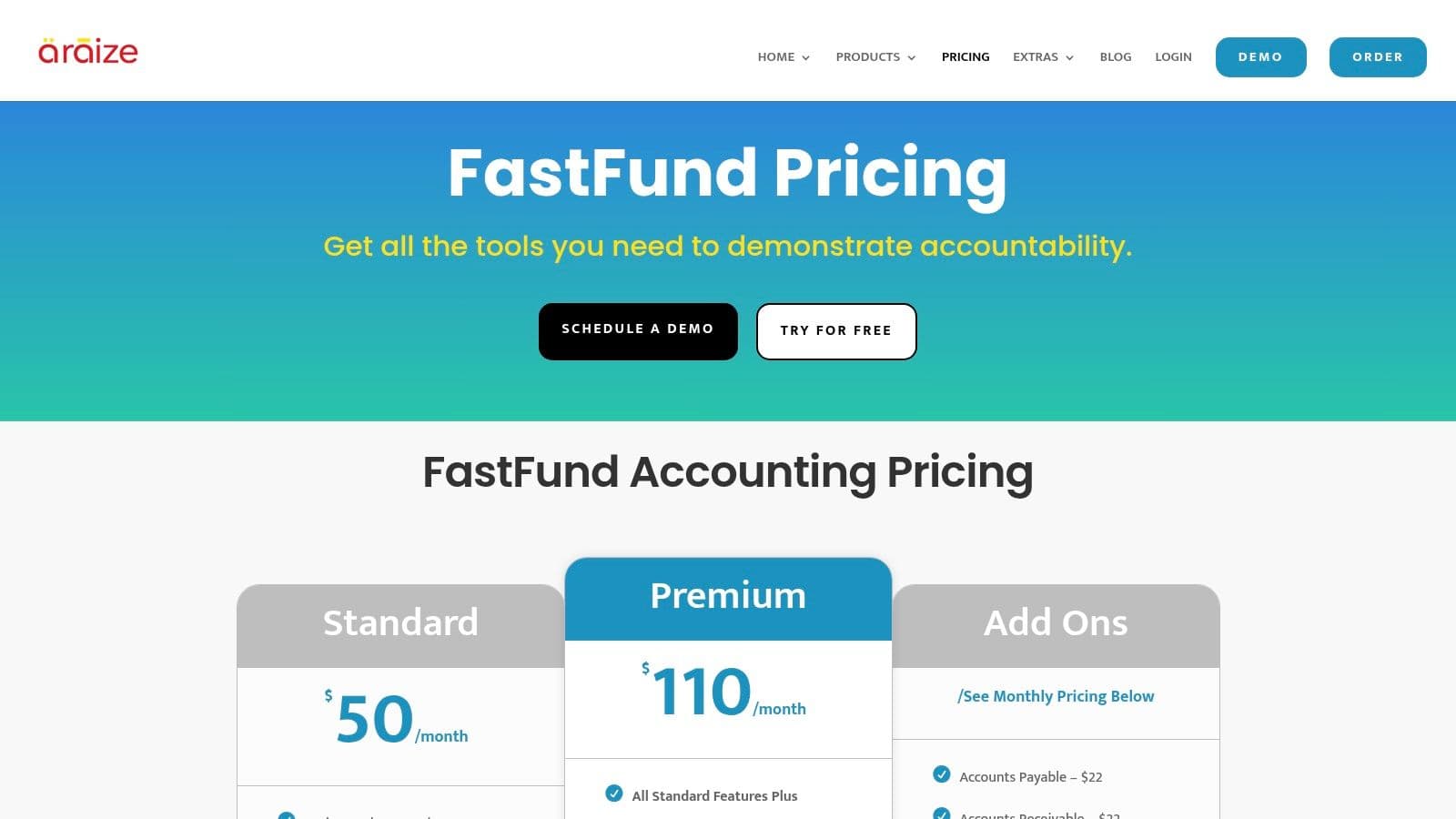
Araize FastFund Online is one of the better budget-conscious options for nonprofits that still need real fund accounting. That's a hard combination to find. Cheap tools often drop nonprofit-specific reporting. FastFund keeps more of that structure intact.
If your nonprofit wants affordability without falling back to spreadsheets, this is a solid candidate.
Strong budget choice for small teams
FastFund offers true fund accounting, supports cash or accrual accounting, and allows modular expansion into fundraising and payroll. That modular path matters for lean teams because it lets you start with accounting and add complexity later.
This category also needs a warning. "Affordable" doesn't mean "all-in cost is low forever." Hidden scaling costs are a recurring issue in nonprofit software. ZipBooks cites a 2025 G2 analysis showing 65% of users of free nonprofit tools faced unexpected integration costs averaging $2,400 annually once they added donor management functionality (ZipBooks analysis of nonprofit software costs).
That's why I like FastFund more than free-first options for nonprofits with any real reporting obligations. It starts from a nonprofit accounting base instead of forcing you to bolt that on later.
Best fit
FastFund is best for smaller nonprofits that need compliance-oriented accounting and don't need enterprise automation. It won't match larger ERP platforms for analytics or integrations, but that isn't the point. The point is getting a fund accounting structure that works at a manageable cost and complexity level.
Review the product at Araize FastFund pricing and plans.
9. QuickBooks Online
A large share of nonprofits start with QuickBooks. Many stay on it longer than they should.
That pattern makes sense. QuickBooks Online is familiar, easy to hire for, and strong for core bookkeeping. If you need faster closes, cleaner bank reconciliations, and fewer spreadsheet handoffs, it can improve finance operations quickly. For a small nonprofit with straightforward restricted funding, that is often enough.
The problem starts when leaders confuse popularity with fit.
Where QuickBooks fits, and where it breaks
QuickBooks Online is best for small nonprofits with low reporting complexity. If you have a handful of grants, one entity, basic departmental tracking, and a finance team that can keep the file disciplined, it works. If your monthly board packet depends on manual exports, off-system grant schedules, and controller-only reporting logic, you have outgrown it.
Here is the tradeoff:
- Good choice for: small teams, outsourced bookkeeping, standard AP and AR, simple grant tracking
- Poor choice for: heavy restricted funding, multi-entity structures, approval-heavy workflows, audit-ready fund reporting by grant and program
That is the QuickBooks versus dedicated nonprofit software decision in plain terms. QuickBooks handles transactions well. It does not give you native fund accounting structure. Your team has to create that structure with classes, locations, tags, and process discipline.
Worked example
Say your nonprofit has 3 grants, 2 programs, and one annual audit. QuickBooks can handle that if the chart of accounts is clean and staff post consistently. A controller can map classes and locations into usable board reports without too much cleanup.
Now change the facts. You have 18 active grants, federal reimbursement rules, indirect cost allocations, and a board that wants monthly actual-to-budget reporting by program and funding source. QuickBooks becomes labor-intensive fast. Staff start tracking restrictions in spreadsheets because the accounting file cannot hold the reporting logic cleanly. Month-end close slows down. Audit prep gets harder. Finance becomes dependent on one person who knows the workarounds.
That is not a software convenience issue. It is a control risk.
Cost matters, but labor cost matters more
QuickBooks Online often looks cheaper than dedicated nonprofit systems on subscription price alone. That comparison is incomplete. You need to include cleanup time, reporting workarounds, add-on apps, and outside consultant support.
I tell nonprofit leaders to use a simple rule. If QuickBooks saves software dollars but adds a day or two of finance labor every month, your real cost advantage disappears. If it delays grant billing, weakens reporting to the board, or creates audit adjustments, it becomes an expensive low-cost tool.
If you stay on QuickBooks, fix the foundation first with a stronger nonprofit chart of accounts template. Bad structure is the main reason nonprofits think they need new software before they actually do.
My recommendation
Use QuickBooks for nonprofits if your organization is small, operationally simple, and needs a broad talent pool for bookkeeping support.
Move to dedicated nonprofit software once fund restrictions, grant compliance, or reporting complexity start driving manual work. At that point, the question is not whether QuickBooks can be forced to work. It is whether your finance team should keep paying the operational penalty for forcing it.
10. Xero
Xero is the cleanest user experience on this list for small nonprofits that care about ease of use, collaboration, and bank-feed-driven bookkeeping. It's a strong small-team accounting tool. It isn't a full nonprofit fund accounting platform.
That distinction matters. If you need simplicity first and nonprofit complexity second, Xero is attractive. If you need restricted fund structure first, it isn't the best fit.
Best for operational simplicity
Xero works well for teams that want smooth daily bookkeeping, multi-user collaboration, and a broad ecosystem of connected tools. The platform also offers a standing nonprofit discount in the US, which improves the value story for smaller organizations.
The practical appeal is speed. Expense capture, approvals, and reconciliations are easier in Xero than in many older systems. For executive directors who are still too involved in transactional accounting, that usability can remove friction quickly.
But don't confuse ease of use with nonprofit depth. Xero relies on tracking categories and process discipline rather than a native restricted net asset framework. That's fine for simpler organizations. It becomes fragile when grant restrictions and board reporting requirements grow.
My recommendation
Choose Xero if your nonprofit is small, cash-conscious, and values modern bookkeeping workflows. It's particularly good for teams that want accounting software staff won't resist using.
Don't choose it because someone told you app ecosystems solve accounting structure. Apps can extend a platform, but they don't replace the underlying logic of true nonprofit accounting.
You can explore the nonprofit offering at Xero for nonprofit organizations.
Top 10 Nonprofit Accounting Software Comparison
| Solution | Core features | Quality ★ | Pricing / Value 💰 | Target 👥 | Unique selling points ✨ / 🏆 |
|---|---|---|---|---|---|
| Sage Intacct (Nonprofit edition) | Fund & grant accounting, dimensional reporting, multi-entity consolidation, deep API | ★★★★☆ | 💰 Quote-based · higher TCO | 👥 Mid-market nonprofits, foundations, audit/grant-heavy orgs | ✨ FASB/990 packs, automation · 🏆 AICPA-endorsed |
| Blackbaud Financial Edge NXT | Restricted fund tracking, nonprofit dashboards, native Raiser’s Edge integration | ★★★★☆ | 💰 Quote-only · premium (best with Blackbaud stack) | 👥 Midsize→large nonprofits using Blackbaud fundraising | ✨ Finance–development alignment · 🏆 Nonprofit-first workflows |
| MIP Fund Accounting (Community Brands) | Unlimited funds, 20+ modules, robust reporting, cloud/on‑prem options | ★★★☆☆ | 💰 Quote-priced · modular costs grow with modules/users | 👥 Grant-heavy agencies & public sector | ✨ Mature nonprofit feature set · flexible deployment |
| Oracle NetSuite (SuiteSuccess Nonprofit) | Full ERP + fund/grant workflows, OneWorld multi-entity, procurement/projects | ★★★★☆ | 💰 High implementation/services; Social Impact discounts available | 👥 Large national/international NGOs, complex orgs | ✨ Enterprise breadth · 🏆 Social Impact license program |
| Aplos | Fund accounting + donor CRM, online giving, core AP/AR | ★★★★☆ | 💰 Transparent monthly pricing · support included | 👥 Small–mid nonprofits, churches | ✨ Built-in giving & donor tools · fast to deploy |
| AccuFund Accounting Suite | True fund accounting, modular (allocations, grants, purchasing), cloud/on‑prem | ★★★☆☆ | 💰 Quote-based; modular pricing | 👥 Orgs wanting nonprofit depth without full ERP | ✨ Configurable modules · flexible deployment |
| FUND EZ | Fund & grant accounting, donor/gift/pledge tracking, GL/AP/AR, budgeting | ★★★☆☆ | 💰 Subscription or one-time server license options | 👥 Small–mid agencies seeking straightforward fund accounting | ✨ Licensing flexibility · simple nonprofit focus |
| Araize FastFund Online | FASB‑compliant fund accounting, optional fundraising & payroll, modular add-ons | ★★★★☆ | 💰 Competitive pricing · unlimited support included | 👥 Small nonprofits on tight budgets | ✨ Affordable modularity · easy to learn |
| QuickBooks Online (Nonprofit config) | Classes/locations for program tracking, vast app marketplace, bank feeds | ★★★★☆ | 💰 Low–mid cost core; add-ons often required | 👥 Small nonprofits standardizing on QuickBooks | ✨ Familiar UI + ecosystem · many ProAdvisors |
| Xero (with US Nonprofit discount) | Tracking categories, budgeting, strong bank automation, 1,000+ apps | ★★★★☆ | 💰 Discounted for registered US nonprofits · simple plans | 👥 Small nonprofits valuing ease & integrations | ✨ Modern UX + mobile collaboration · rich app marketplace |
Final Thoughts
The best accounting software for nonprofits depends less on your mission and more on your reporting complexity. That's the decision point most comparison lists miss.
If you're small and straightforward, buy simplicity. If you're midsize and juggling grants, programs, and board scrutiny, buy true fund accounting. If you're large, multi-entity, or global, buy structure and implementation support. Don't buy software based on what another nonprofit uses. Buy based on what your finance team has to produce every month without heroics.
Here’s the clearest size-based recommendation set I’d give a nonprofit leader:
- Small and simple: Start with Aplos or QuickBooks.
- Small but fund-accounting-heavy: Look hard at Aplos or FastFund.
- Mid-market with growing complexity: Sage Intacct is the strongest option.
- Fundraising ecosystem alignment: Blackbaud Financial Edge NXT makes sense if you're already in Blackbaud.
- Enterprise or global operations: NetSuite belongs in the conversation.
- Traditional finance-team depth: MIP, AccuFund, and FUND EZ all have valid use cases.
You also need to address a common misconception. New software does not fix broken accounting operations on its own. If your chart of accounts is inconsistent, your month-end close lacks ownership, and restricted revenue is being cleaned up after the fact, a new platform will automate bad habits.
That’s why I tell clients to evaluate software and finance process together. You need three answers before you buy anything:
The three decision questions
- Can your current system produce clean fund-level reporting without spreadsheet reconstruction? If not, your software is too weak or badly configured.
- Does your team close the books with confidence? If not, the issue may be process, staffing, or both.
- Are you solving a bookkeeping problem or a finance architecture problem? QuickBooks can solve the first. It usually won't solve the second.
There’s also a point where buying software is the wrong first move. If your books are behind, your classes or funds are inconsistently mapped, and management reporting is unreliable, you may need expert cleanup and process design before a migration. That is especially true for nonprofits transitioning from volunteer-led finance or founder-managed bookkeeping.
Software is a tool. A finance function is a system of people, process, controls, and reporting cadence.
That distinction affects cost. A rushed migration often creates duplicate effort. Your team pays for setup, then pays again in rework, then pays again when reports still don't tie out. A disciplined implementation avoids that trap.
If you're deciding today, keep it simple. Choose the lightest system that can handle your real restriction and reporting needs for the next stage of growth. Not the next ten years. The next stage. That decision gives you control without overbuilding.
If your nonprofit has outgrown DIY bookkeeping, QuickBooks workarounds, or spreadsheet-based fund tracking, Jumpstart Partners can help you clean up the books, redesign your reporting structure, and choose the right system before you waste money on the wrong one. Their team supports growing organizations with outsourced bookkeeping, controller services, and finance process improvement across platforms like QuickBooks, Xero, and NetSuite.