Financial Operations
Credit Card Reconciliation: A Practical Guide for Founders
Master credit card reconciliation with this practical guide for founders. Learn matching steps, fee handling, automation tips, and how
ByJumpstart Partners, CPA, QuickBooks ProAdvisor
··15 min readYou can run a clean month-end close and still leak cash. That's the trap. The team sees the Stripe payout hit the bank, the bookkeeper matches the deposit, and everyone moves on. Then a few weeks later, you find a processor fee sitting in marketing, a refund coded twice, or a chargeback that never made it into the books. That's not a cosmetic mistake. That's margin leakage, and it adds up fast when card volume is a core part of how you get paid.
For founders running SaaS, agencies, or service businesses on Stripe, Shopify, QuickBooks, or Xero, credit card reconciliation is the control that keeps gross receipts, processor fees, refunds, and bank deposits aligned. Oracle NetSuite's reconciliation workflow has treated this as a formal control for years, not a side task, and its history report shows the exact data finance teams need to audit the trail, including statement date, statement balance, amount reconciled, previous reconciled balance, and differences (Oracle NetSuite reconciliation workflow). If you treat it as bookkeeping cleanup instead of exception management, you'll keep paying for it in cash, time, and bad reporting.
Table of Contents
- Why Credit Card Reconciliation Is a Cash Leak You Cannot Ignore
- The Pre-Close Preparation Checklist
- Matching Transactions in QuickBooks and Xero
- Handling Fees, Timing Differences, and Chargebacks
- Adjusting Entries, Sign-Offs, and Reconciliation Controls
- Automation and Integration With Stripe, Shopify, and Expense Tools
- Common Errors, Red Flags, and How to Fix Them
Why Credit Card Reconciliation Is a Cash Leak You Cannot Ignore
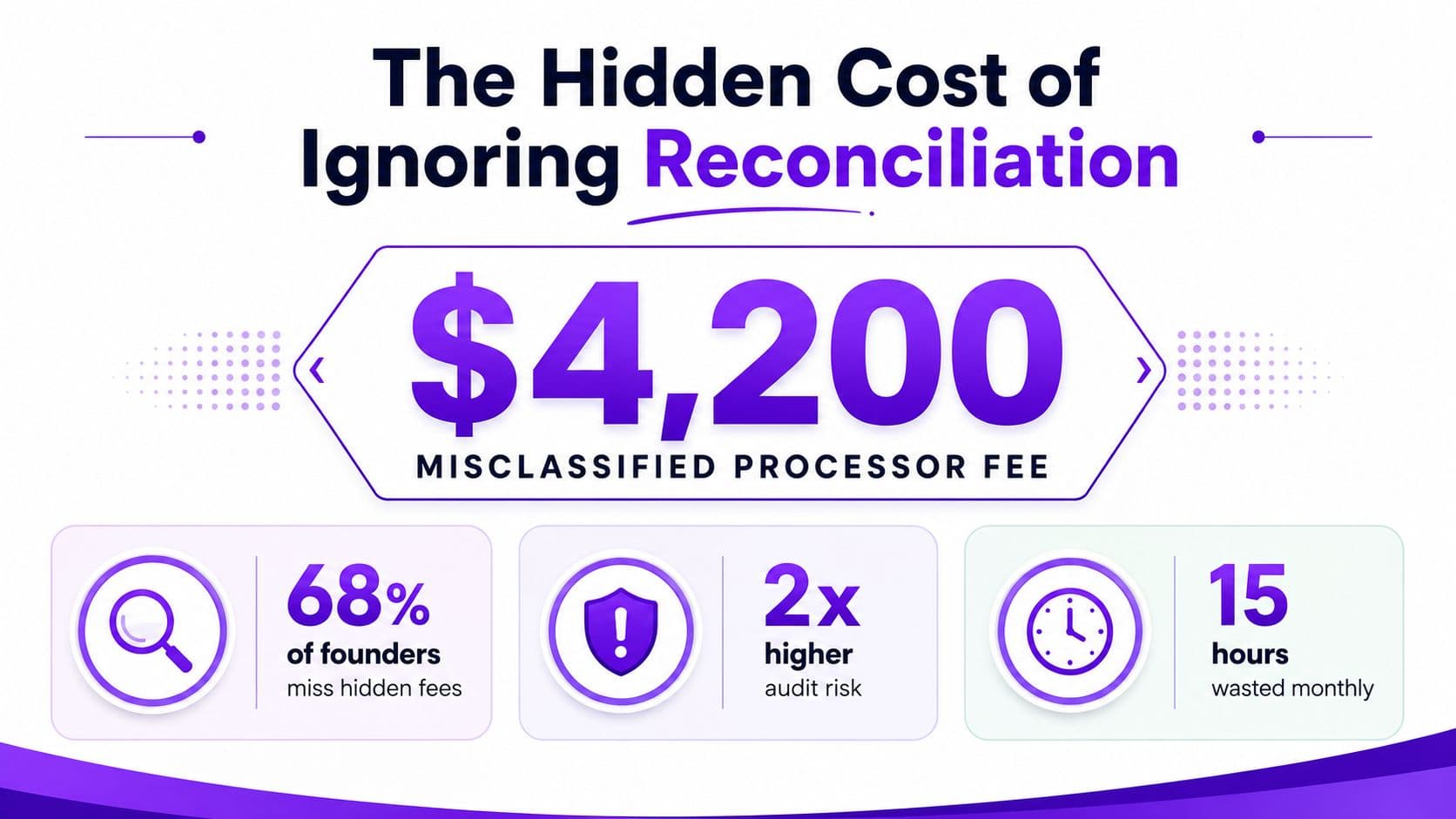
The clean-close story usually starts with a false win. The books look tidy, the dashboard is green, and then an outsourced controller spots a $4,200 processor fee sitting in the wrong account. In that case, the fee had been classified as marketing expense for two quarters, which made gross margin look stronger than it was and hid the true cost of getting paid. That's why I tell founders to stop thinking about reconciliation as “matching the statement.” It's a control over leakage.
The three anchors that matter
The core workflow sits on three anchors. First, the merchant statement. Second, the processor payout, whether that's a Stripe payout, a Shopify Payments deposit, or another settlement feed. Third, the processor fee detail that explains what was taken out before cash hit the bank. When those three sources don't line up, you're not looking at a minor close issue, you're looking at margin distortion.
Practical rule: if you can't explain the gap between gross sales and net deposit line by line, you don't have a reconciliation, you have a guess.
The scale matters. In the United States, merchants paid $187.20 billion in fees to accept $11.902 trillion in card payments in 2024, according to the Nilson Report (Nilson Report). That means fees are not noise. They're a material cost of revenue, and any founder who leaves them uncategorized is letting cash slide through the cracks.
The better mindset is simple. Reconciliation isn't a clerical chore, it's a leak detector. If you want a useful companion example, the logic behind fixing Amazon payout discrepancies is the same, you trace gross-to-net movement until every gap is explained. And if cash visibility is already hurting your planning, the broader link between reconciliation and cash control is worth revisiting in this cash flow guide.
The Pre-Close Preparation Checklist
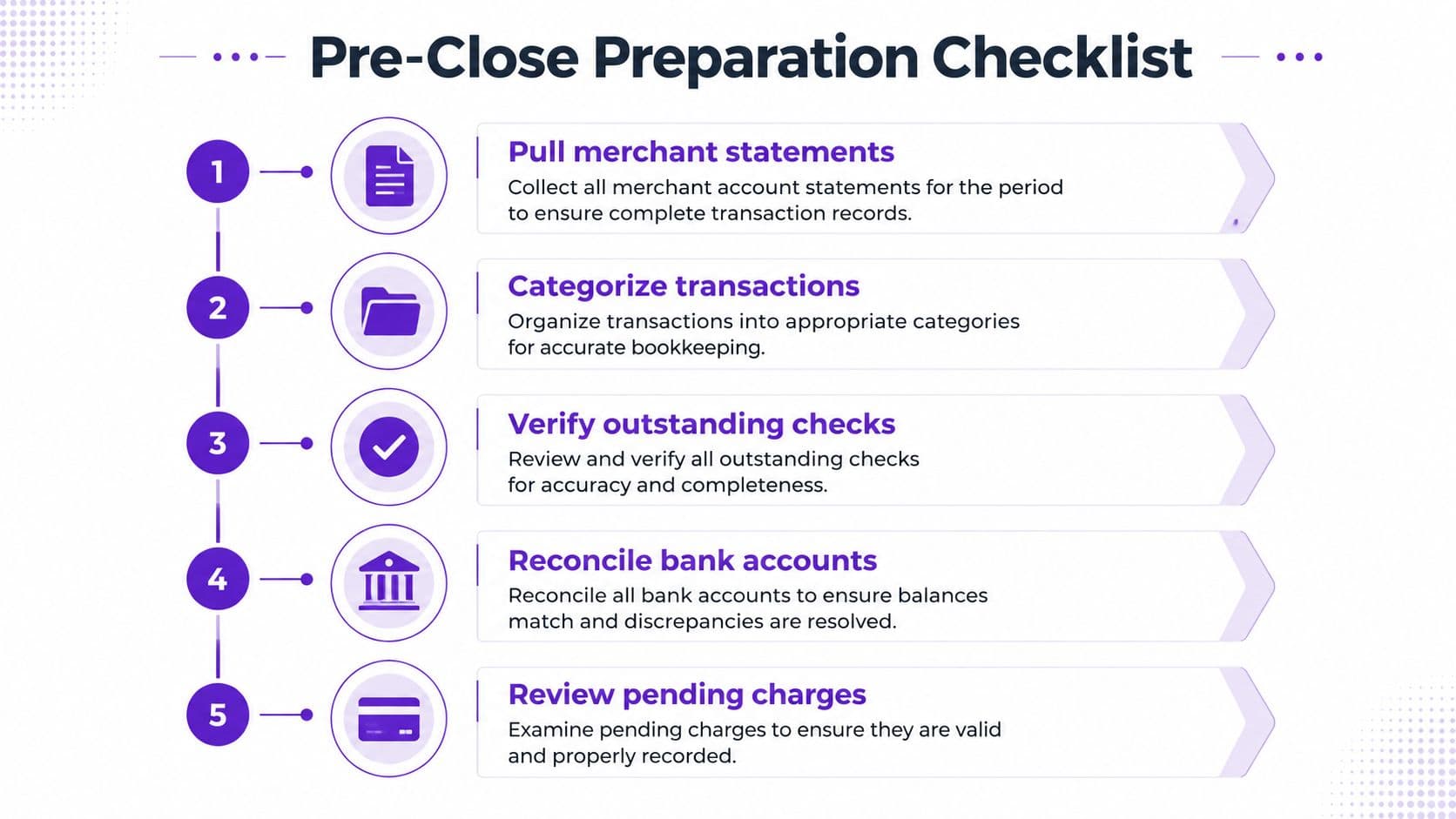
Don't touch a single transaction in QuickBooks or Xero until the source set is complete. If you start matching before the paperwork is staged, you'll waste time untangling timing differences that were predictable from the start. The week before close should feel boring. That's a good sign.
Pull the right files before the month ends
Start with the full merchant statement from every processor. That means Stripe, Shopify Payments, PayPal, and Square if you use them, and it means the exact calendar month you're closing, plus the payout that lands in the first days of the next month. Then export the transaction-level processor reports to CSV so you have refunds, disputes, fees, and identifiers in one place.
Next, pull the card feeds for every corporate card. Brex, Ramp, Amex, and Chase Ink all need to be in the pack before you start matching. Confirm that each statement has arrived, because reconciling around a missing statement just creates a fake sense of progress. Finally, stage the general ledger trial balance alongside the merchant and processor files so every line has a home when you're ready to post.
Operational rule: no shared folder, no close. Put the merchant statements, processor reports, and GL trial balance in one locked folder before you open the reconciliation screen.
| Pre-close item | What you need | Why it matters |
|---|---|---|
| Merchant statements | Full monthly statement by processor | Establishes the gross-to-net starting point |
| Processor reports | CSV detail for fees, refunds, disputes | Explains the difference between gross sales and bank cash |
| Card statements | Every corporate card account | Prevents partial reconciliations |
| Trial balance | Current GL snapshot | Shows where adjustments will land |
Lock the period in the GL before anyone backdates entries. If someone posts a late card charge after you've started, you've just created churn for the team and risk for the close. If your team needs a working template, the month-end close checklist template is a useful way to keep the routine consistent.
Matching Transactions in QuickBooks and Xero
QuickBooks and Xero both work fine for this job if you use them correctly. They both fail if you try to treat a processor payout like a single expense line. That's the mistake I see most often, especially in founder-led teams that are moving fast and want the books to “just reflect the bank.”
QuickBooks first, then the underlying split
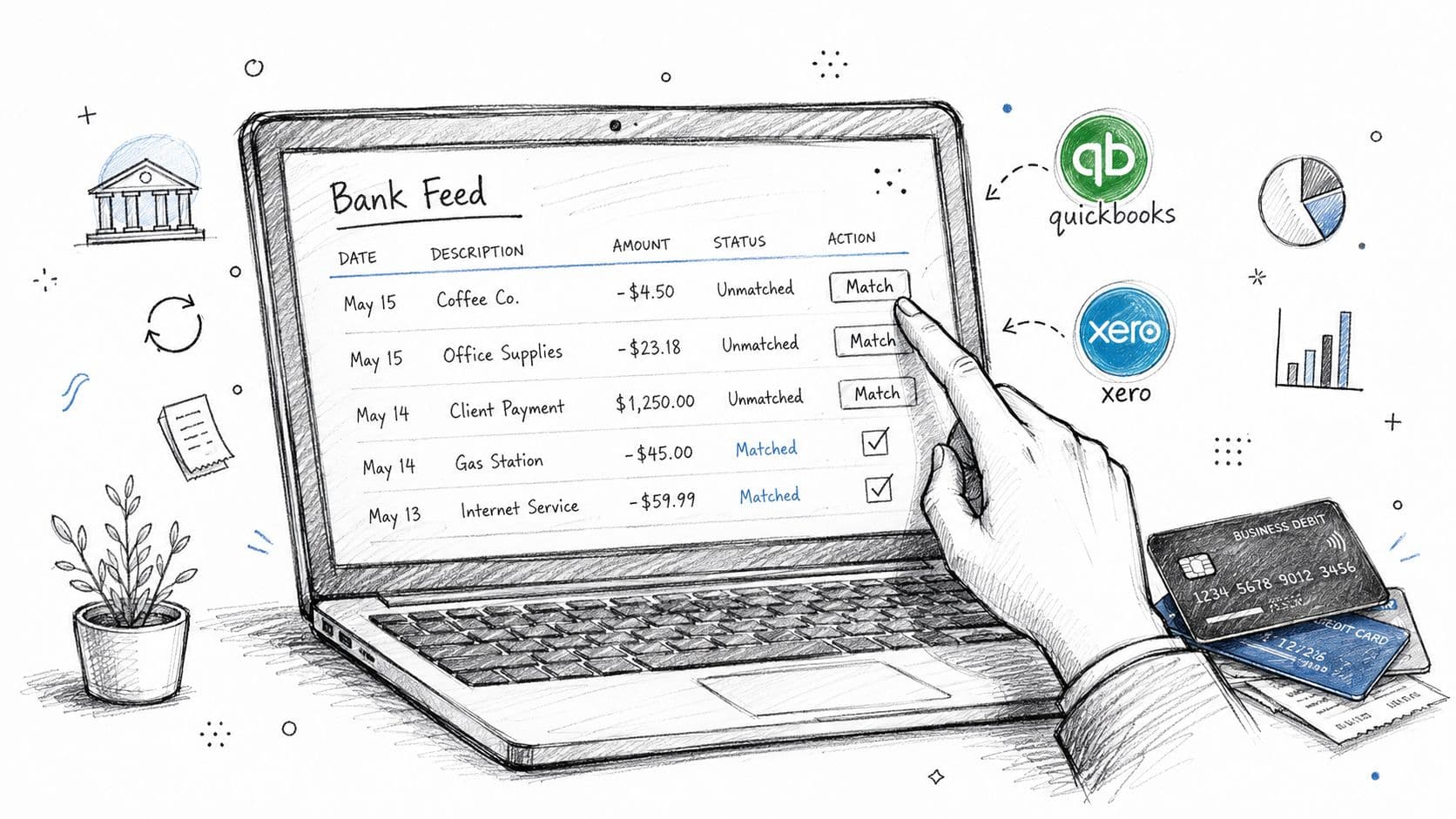
In QuickBooks, match the bank deposit in the Banking feed to the payout that landed from Stripe or Shopify. Then drill into the journal entry or matched transaction detail and split it into the pieces that happened. Gross sales belong in revenue, refunds belong in contra-revenue or returns, chargebacks get their own treatment, and processor fees land in a fee expense account.
A payout of $48,650 tied to $50,000 of gross sales, $950 of processor fees, $300 of refunds, and a $100 chargeback should not be booked as a lone deposit. It should be split as Gross Sales $50,000, Refunds $300, Chargebacks $100, Processor Fees $950, and Bank $48,650. That split keeps the cash trail and the revenue trail honest.
Xero should do the same thing
In Xero, use the Reconcile tab and a bank rule for Stripe or Shopify payouts to auto-match the deposit. Then inspect the rule output. If it compresses fees into one line or hides a refund, fix the mapping before you post. The rule should save time on the match, not erase the transaction detail.
Non-negotiable rule: never recategorize a payout to a single expense account. If the processor took four actions, your ledger needs four components.
The mechanics are cleaner when you keep the payout tied to the processor source file. That's the same discipline behind cleaning up a messy ledger before you rely on it, and the logic is close to the process described in the QuickBooks cleanup guide.
Handling Fees, Timing Differences, and Chargebacks
Messy books usually start with timing mismatches. The payout shows up, but fees are netted out, and a chargeback hits later than the original sale. If you don't separate those mechanics, your close will always be one step behind reality.
Turn gross deposits into clean GL figures
Take a Shopify batch with $50,000 in card sales, $925 in interchange, $310 in platform fees, and a $115 partial refund. The net cash is $48,650. That deposit isn't “sales” and it isn't “fees.” It's a settlement event that needs gross revenue, fee expense, and refund treatment broken apart in the ledger.
| Line Item | Amount | GL Account | Debit/Credit |
|---|---|---|---|
| Gross card sales | $50,000 | Revenue | Credit |
| Interchange fees | $925 | Processor fee expense | Debit |
| Platform fees | $310 | Processor fee expense | Debit |
| Partial refund | $115 | Contra-revenue | Debit |
| Net bank deposit | $48,650 | Cash | Debit |
Now look at timing. A Friday-night authorization that settles on Monday belongs in the next cash movement, not the original sale date. A batched deposit that covers two close periods needs a clearing account so the revenue lands when earned and the cash lands when received. A chargeback held back from payout should sit in the dispute or chargeback clearing account until the processor resolves it.
Use the right clearing account every month
The one-line rule is simple. If cash hasn't moved yet, don't force it into revenue. If the processor has withheld cash for a dispute, don't bury it in fees. If a refund posts after close, book the reversal where the original revenue can be traced.
Keep this in view: dispute reserves often sit in a 60 to 180 day hold window, so your cash forecast has to treat them as delayed cash, not lost cash.
If you want a helpful adjacent example, the operational thinking behind chargeback deductions for sellers is the same. You're not just matching a statement, you're separating settlement mechanics from business performance.
Adjusting Entries, Sign-Offs, and Reconciliation Controls
Matching alone won't save you. You need the control layer that turns a matched file into something a controller, investor, or auditor can trust. That means adjusting entries, evidence, and a real sign-off path.
The monthly entries you should expect
Processor fee accruals belong in the period the expense was incurred, even if the processor statement lands later. Interchange true-ups matter when your pricing tier changes or a processor rebate shows up after the fact. Prepaid card spend needs reclassing when a purchase was booked to the wrong month. And any unexplained difference needs to move into a dedicated clearing account until someone resolves it.
| Journal entry type | Debit | Credit | Memo |
|---|---|---|---|
| Processor fee accrual | Processor fee expense | Accrued processor fees | Month-end fee estimate |
| Interchange true-up | Processor fee expense or rebate clearing | Cash or fee clearing | Rate change adjustment |
| Prepaid reclass | Prepaid expense | Original expense account | Move to correct period |
| Unreconciled difference | Difference clearing | Relevant account | Pending review |
Make the review path visible
Your reconciliation packet should show preparer initials, reviewer initials, the final difference balance, and the folder path for the source files. If the difference account doesn't hit zero, the reconciliation is not done. If the supporting reports aren't stored in one place, the review is weak even if the numbers tie.
Use a simple cadence. Reconcile card and cash activity monthly, tie the card GL back to the cash flow statement, and keep every exception memo with the statement and processor report. If you want a practical governance reference, the segregation of duties guide is the right lens for who should prepare, who should review, and who should approve.
Control standard: the person who posts the payment should not be the person who signs off the reconciliation.
You don't need a huge finance team to do this correctly. You need a clean workflow and one person who reviews the exceptions without being the same person who pushed the entries.
Automation and Integration With Stripe, Shopify, and Expense Tools
Automation helps when it removes repetitive work and hurts when it creates false confidence. Stripe and Shopify both feed payouts and fees into QuickBooks or Xero, and that saves time on import. It does not, by itself, solve reconciliation. The connector still needs a human to split the gross, fee, refund, and chargeback pieces correctly.
What each tool does, and what it leaves behind
Brex and Ramp are strong on card transaction capture and merchant detail. That reduces manual coding for employee spend, but it doesn't reconcile the bank side of processor settlements. Expensify and Dext handle receipts and approvals well, but they don't manage the settlement flow from Stripe or Shopify. That's why teams end up with tidy expense workflows and messy payout workflows in the same month.
| Tool or Connector | What It Automates | Manual Gap Remaining | Pays Off When |
|---|---|---|---|
| Stripe to QuickBooks/Xero | Payout import, basic fee lines | Gross-to-net split, refund coding | SaaS billing is clean and volume is steady |
| Shopify to QuickBooks/Xero | Settlement import, deposit matching | Interchange and refund detail | E-commerce volume is predictable |
| Brex or Ramp | Card transaction capture, merchant data | Bank-side settlement matching | You want less manual coding |
| Expensify or Dext | Receipts, approvals, document flow | Processor settlement reconciliation | Employee spend is the main issue |
The right rule is simple. Automate the predictable part, then keep one human review step on every payout file. If a matched-by-rule entry hides a fee miss, you've automated the mistake faster, not fixed it.
A lot of founders ask where Jumpstart Partners fits. In practice, the value is in the monthly control work, the reconciliation mapping, and the cleanup around the exceptions. That matters more than the software brand.
If you want the broader technology angle, the reconciliation automation tools overview is useful for deciding where software ends and control begins.
Common Errors, Red Flags, and How to Fix Them
A founder opens the close file and sees card spend, Stripe payouts, and Shopify deposits all “reconciled.” The problem is the file still misses fees, refunds, and duplicate entries. Manual entry at month-end is where small errors compound into recurring patterns.
The six mistakes I see most
Uncleared processor fees posted as revenue. This usually happens when the payout arrives net and nobody separates the fee line. Reverse it with a journal entry that moves the fee out of revenue and into processor fee expense, then set a recurring mapping rule in QuickBooks or Xero that splits every payout by source file.
Misclassified card-processing fees, including 1099-K confusion. Founders sometimes treat card settlement fees like a tax reporting issue instead of an operating expense. Review the processor report line by line, not the 1099-K summary, then post the fees to the correct expense account every month.
Duplicate payouts from Stripe Connect. This shows up when a platform payout is imported twice or a connected account payout overlaps another batch. Set a duplicate-detection rule on payout IDs and review the clearing account before anything hits cash.
Shopify refunds landing in the clearing account and never reaching the GL. The refund hits the processor feed, but the accounting entry never follows. Create a monthly refund check that ties the processor refund line to the contra-revenue account and flags anything unmatched.
Corporate card spend on personal items. This is a policy issue, not an accounting issue. Book the transaction to a due-from-employee or recovery account, require repayment, and review merchant names that look suspicious or non-business.
Forgotten statement credits. Credits often sit in the processor file until someone notices the net deposit looks off. Tie the credit to the original expense or fee line and keep a credits log with the statement so it does not vanish into the next close.
Red flags that tell you the process is breaking
Watch for gross deposit growing faster than net deposit, stale Stripe payouts sitting unreconciled, and interchange percentages drifting without a clear reason. Those are not harmless anomalies. They point to dirty source data or stale mapping rules.
Warning sign: if your close depends on one person remembering why a payout looks odd, you do not have a process, you have tribal knowledge.
A strong outsourced controller setup fixes this without adding noise. You want dedicated reconciliation workpapers, exception memos for every variance over a set threshold, and monthly management commentary that explains the cash and margin impact in plain English. That is the standard I would expect for board packs, investor diligence, or an audit trail.
Jumpstart Partners offers controller-led finance ops for founder-led B2B AI SaaS teams—monthly close, reporting, and billing support scoped after the Finance Ops Diagnostic.
If the close keeps slipping, send the last two months of card statements and processor reports to a controller who can read the exceptions fast. Ask for a close-time roadmap and hold the team to a clean handoff.