Financial Operations
Cleaning Up QuickBooks the Right Way for Growing Companies
Cleaning up QuickBooks requires more than reconciling bank accounts. Learn the exact framework SaaS founders and agencies use to fix books, prepare
ByJumpstart Partners, CPA, QuickBooks ProAdvisor
··17 min readA QuickBooks file can look reconciled and still fail the test that matters: whether an investor, lender, auditor, or buyer can trace the numbers back to reliable evidence. Intuit reported 7.1 million online QuickBooks users in FY22 and 10 million small business and self-employed customers in FY23 in its company fact sheet. At that scale, cleanup isn't a cosmetic exercise. It's financial control work.
For a SaaS company, agency, or professional services firm generating $1M to $5M ARR, the right question isn't, “How do I make QuickBooks look tidy?” It's, “What history must be defensible for the stakeholder I'm preparing for?” A lender cares about cash, debt, and working capital. An investor cares about revenue quality, comparatives, and the bridge from operational systems to reported results. An auditor cares about support, cutoff, controls, and a clear record of changes.
Cleaning up QuickBooks the right way starts with that destination. You fix enough history to support the external decision, then build a close process that prevents the same problems from returning.
Table of Contents
- The Real Cost of Messy QuickBooks Files
- Diagnosing What Is Actually Broken in QuickBooks
- DIY Cleanup vs Hiring a Specialist Firm
- The Cleanup Sequence That Actually Works
- Fixing Payroll, Bank Feeds, and Integration Errors
- Closing the Books and Keeping Them Clean
- When to Outsource and What to Expect Next
The Real Cost of Messy QuickBooks Files
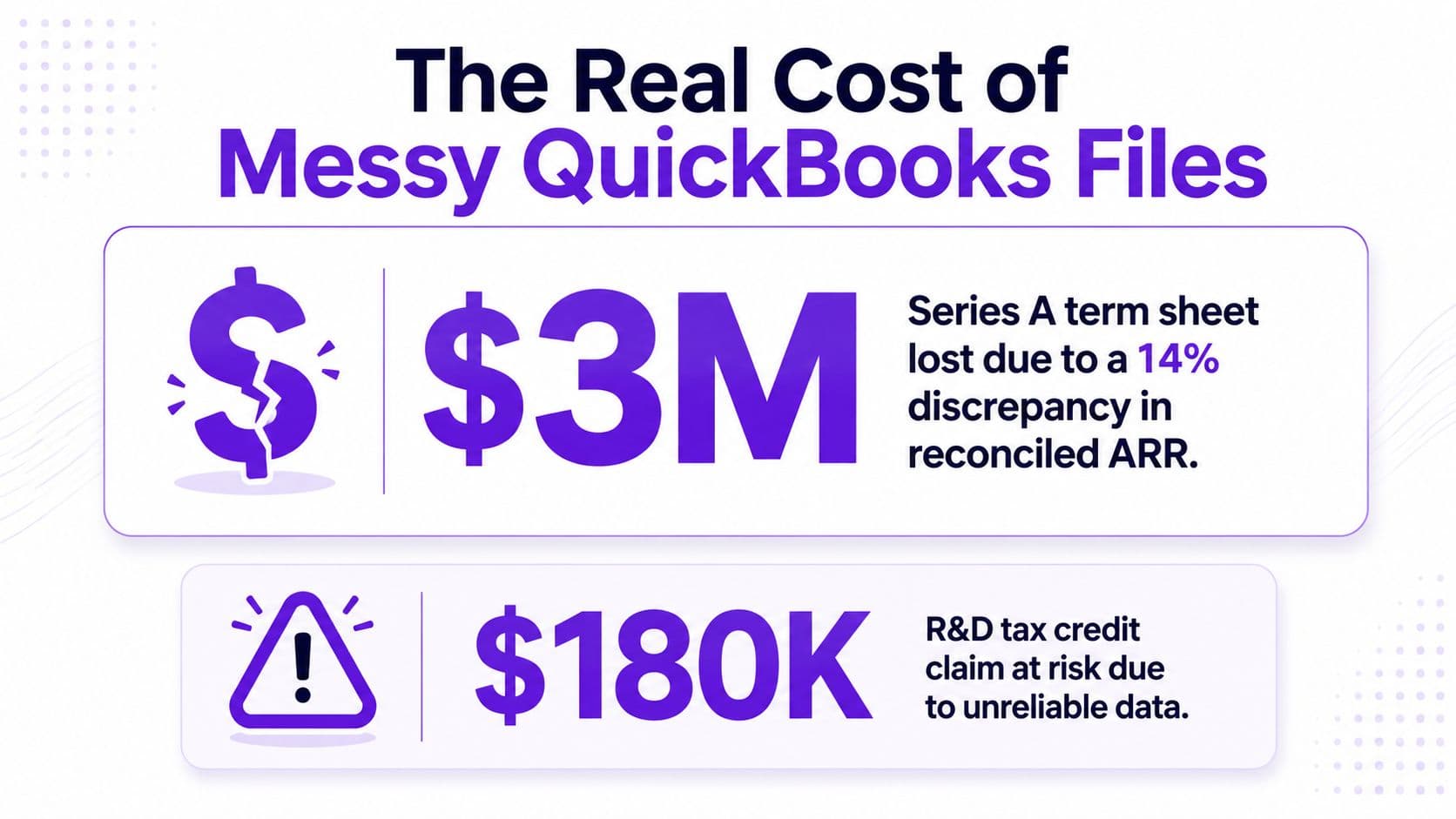
A $3 million Series A term sheet can disappear when reconciled ARR differs from the data room by 14%, as a realistic SaaS diligence scenario demonstrates. The issue isn't merely that one report is wrong. The discrepancy raises harder questions: Which revenue source is complete? Were contracts recognized consistently? Can management explain the difference? If the finance team can't answer quickly, the buyer or investor starts discounting the entire reporting package.
A second scenario is a $180,000 R&D tax credit claim disqualified because payroll was coded to the wrong class for two years. The loss doesn't come from an exotic accounting rule. It comes from a basic classification failure that no one corrected while the records were still easy to reconstruct.
Why the Saturday cleanup fails
The usual DIY path starts with a controller opening QuickBooks on a Saturday, changing opening balances, and discovering that the prior year was never properly closed. Then the team edits a few transactions, creates an adjustment to force a reconciliation, and loses the original logic behind the books. The project either gets abandoned or consumes more internal time than the financial statements justify.
That approach fails because it treats symptoms as isolated entries. A duplicate deposit can affect cash, revenue, accounts receivable, processor fees, and the reconciliation history. A payroll classification error can affect expenses, liabilities, tax reporting, and management reporting by class. Editing without a diagnostic plan creates new uncertainty.
Controller's rule: Don't clean a QuickBooks file for its own sake. Clean the history required to defend the next external decision.
Your cleanup budget should reflect the stakeholder and the risk. A lender package may require a focused historical repair and dependable balance sheet. A sale or audit may require deeper support for comparatives, revenue, liabilities, and opening balances. The broader discipline of remedying financial process breakdowns is useful here because the problem often sits in the process, not just in QuickBooks.
Before approving a large project, compare the expected cost of remediation with the wider cost of accounting. A neglected file becomes more expensive as evidence disappears, staff turnover increases, and previously filed periods become harder to revisit.
Diagnosing What Is Actually Broken in QuickBooks
Don't touch transactions until you know what's wrong. Start by preserving the current file, exporting key reports, and creating a diagnostic worksheet with columns for account, period, issue, likely cause, supporting document, proposed correction, and reviewer approval.
Start with the Audit Log
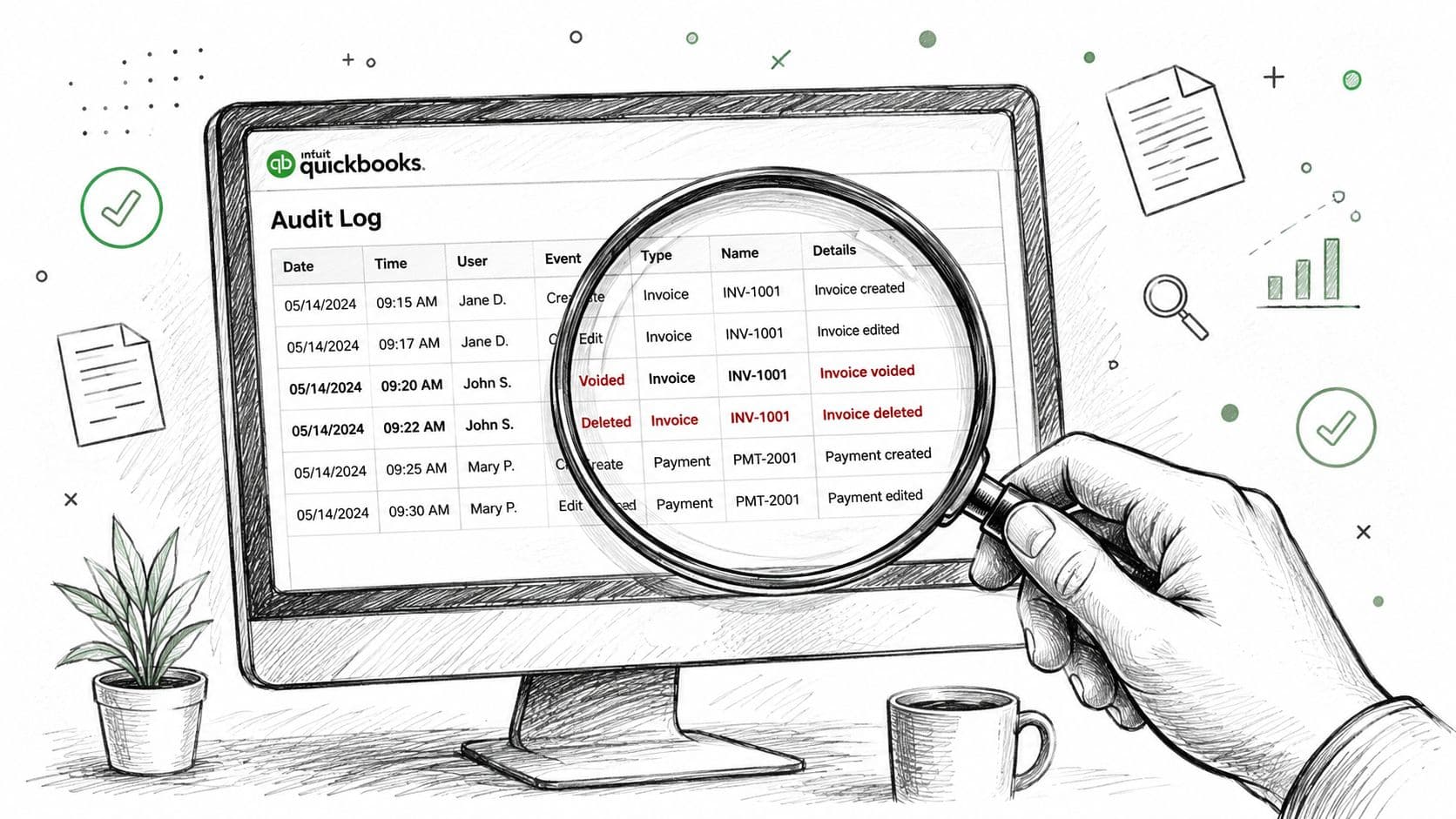
Use the QuickBooks Online audit log to trace user sign-ins, setting changes, customer and vendor edits, employee changes, and payroll submissions. QuickBooks keeps those events available for two years, and the log shows the date, user, event type, and original transaction details in its support guidance. Filter for voided and deleted entries first. Those records often reveal training mistakes, duplicate imports, or changes made while someone was trying to force a balance.
The audit log displays 150 records at a time and can be filtered by user, date, or event. That makes it practical for narrowing a suspicious period instead of reviewing every activity line.
Read the financial statements for movement
Pull the Balance Sheet by month and compare retained earnings across periods. An unexplained jump usually points to a prior-period adjustment, deleted transaction, incorrect opening balance, or an entry posted directly to equity.
Then run the Profit and Loss by Class and by Location. Coding drift often hides in consolidated reports. A SaaS team may have implementation costs buried in general software expense. An agency may have delivery payroll classified as overhead. The total P&L can look reasonable while gross margin by service line is unusable.
Review four transaction-level signals:
- Reconcile Discrepancy report: Identify changes that disrupted a prior reconciliation.
- A/R Aging: Find stale invoices, unapplied payments, and customer balances that don't match the billing system.
- A/P Aging: Separate real unpaid bills from duplicate or abandoned vendor records.
- Undeposited Funds: Trace deposits that were received but never properly batched to the bank.
Consider a $40,000 balance in Undeposited Funds. The review traces it to a sales representative manually batching deposits in 2023, leaving the receipts in the holding account instead of recording the actual bank deposits. The correction isn't “zero the account.” It's to reconstruct each batch, match it to the bank, and document the reclassification.
DIY Cleanup vs Hiring a Specialist Firm
DIY cleanup looks cheaper because the invoice is invisible. Your controller or bookkeeper absorbs the work, often during already-full close cycles. The correct comparison is loaded internal labor, opportunity cost, error risk, and the quality of documentation delivered at the end.
Use this decision matrix before assigning the project to a generalist.
DIY Cleanup vs Specialist Firm Decision Matrix
| Dimension | DIY Cleanup | Specialist Firm | Winner |
|---|---|---|---|
| Cost | Internal labor accumulates while normal finance work slows. | Fixed scope makes the project easier to budget. | Depends on scope |
| Time | A controller may spend multiple weekends diagnosing an unfamiliar file. | A dedicated team works from a defined diagnostic and correction plan. | Specialist Firm |
| Risk | Live-file edits can overwrite history or create unexplained adjustments. | Workpapers, review points, and approval trails support accountability. | Specialist Firm |
| Audit readiness | Internal notes may explain what changed but not fully support why. | Documentation can be organized for a CPA, lender, investor, or buyer. | Specialist Firm |
| Knowledge transfer | The team learns through trial and error on production records. | Your staff receives documented rules and close procedures. | Specialist Firm |
The break-even point
Price internal time. If your loaded controller rate is $125 per hour and the project requires 40 hours, the internal labor calculation is:
40 hours × $125 = $5,000
That calculation excludes delayed reporting, management interruptions, and the cost of correcting a bad adjustment later. Once projected DIY work exceeds 40 hours, outsourcing deserves the default position. The number isn't a universal fee benchmark. It's a decision threshold that forces you to recognize the labor commitment.
I'd hire a specialist immediately when the file is more than 18 months stale, uncategorized transactions exceed 5% of monthly volume, or the books are being prepared for diligence. Those thresholds come from operational judgment, not a universal accounting rule. They identify situations where the project has moved beyond routine bookkeeping.
A specialist also needs the right scope. A firm should tell you which periods it will repair, which accounts it will reconcile, what support it needs, and what deliverables you'll receive. A practical guide on accounting support specialists can help you evaluate whether you need transaction processing, cleanup expertise, or controller-level review.
If the project is limited to current-period categorization and your team understands the file, handle it internally. If it involves multi-year balances, broken reconciliations, or external scrutiny, compare the cost of expertise with the risk of improvisation. For broader catch-up work, define the catch-up bookkeeping services required before anyone begins editing.
The Cleanup Sequence That Actually Works
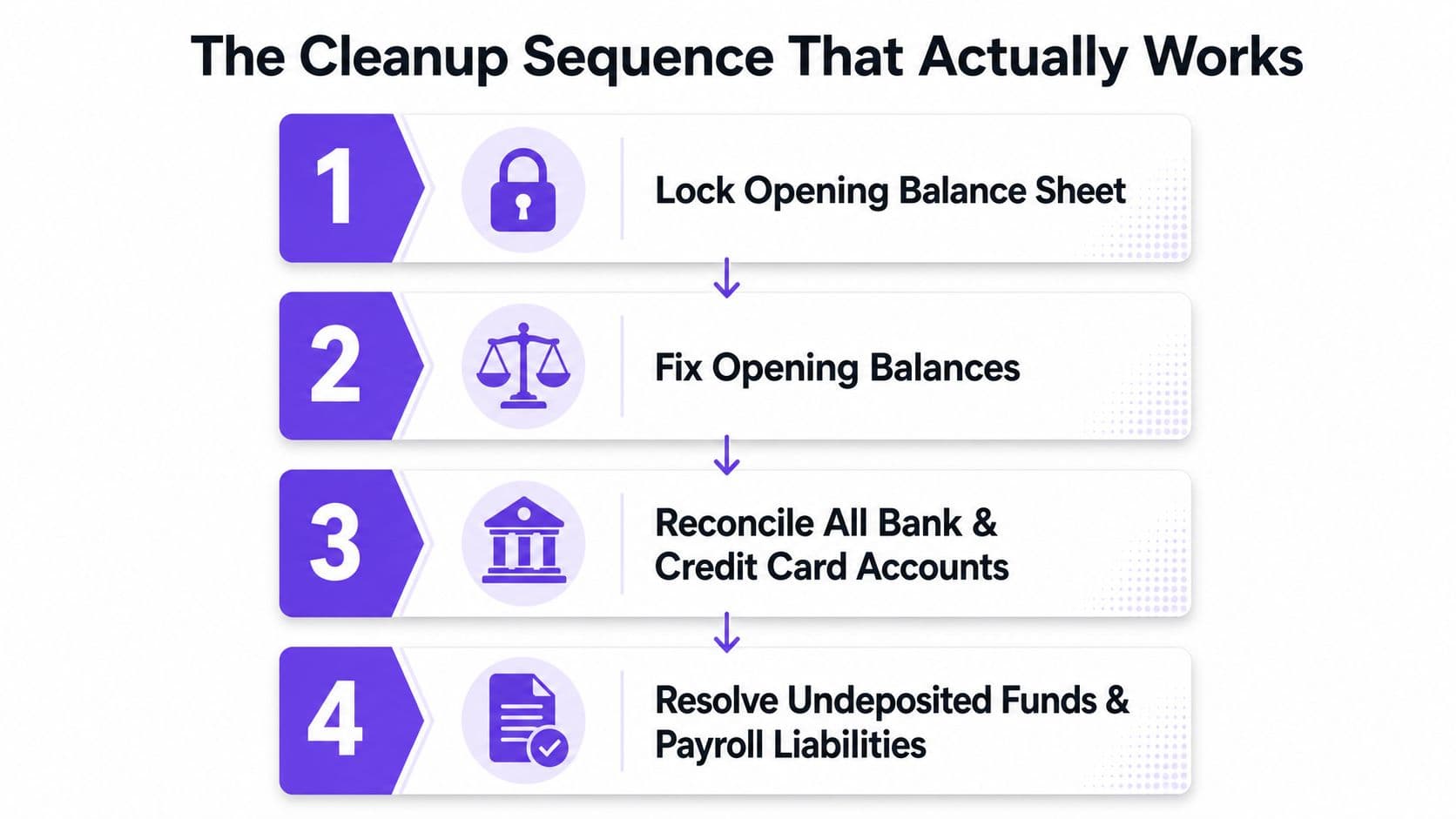
Cleanup fails when teams correct transactions before stabilizing the foundation. Follow the sequence below and require documentation for every material adjustment.
1. Protect the opening balance sheet
Export the current Balance Sheet, general ledger, reconciliation reports, and key subsidiary ledgers. Establish the opening balance for the period you're repairing, then document any difference between QuickBooks and source records. Don't overwrite a prior-period error with a new journal entry.
QuickBooks' own reconciliation guidance recommends using the Reconciliation Discrepancy report, reviewing adjustments, speaking with the person who made the change, and undoing a previous reconciliation when necessary to restore the correct opening balance in its reconciliation support instructions.
2. Repair the chart of accounts
Merge duplicate accounts, rename cryptic labels, and create clear separation between revenue, direct costs, operating expenses, assets, liabilities, and equity. Reclassify personal expenses posted to equity rather than leaving them embedded in owner distributions or retained earnings.
Next, verify all balance-sheet accounts against source documents. That includes bank and credit cards, but also loans, payroll liabilities, sales tax payable, and Undeposited Funds. A cleanup checklist from LedgerClean makes this sequencing point clearly: source balances must be trustworthy before reconciliation results can be trusted.
3. Reconcile cash from the oldest unmatched statement
Start with the oldest unreconciled bank or card statement and work forward. Match transactions by date, amount, and payee. Don't auto-accept imported items because QuickBooks suggests a match.
When you find duplicates, identify them in the Audit Log or Audit Trail, match identical amount, date, and payee details, and exclude the bank-feed duplicate rather than adding it. If the duplicate was already matched or categorized, undo it back to the For Review queue before excluding it. Afterward, re-reconcile the affected months and recheck the balance sheet, as outlined in this duplicate transaction cleanup workflow.
4. Reclassify in controlled batches
Batch similar corrections by class, vendor, account, or period. One-off edits are slow and difficult to review. Each batch should have a purpose, supporting report, preparer, reviewer, and journal entry or reclassification reference.
5. Tie A/R and A/P to their control accounts
Match customer invoices and payments to the A/R control balance. Match vendor bills and payments to A/P. Unapplied cash and old open items need explanations, not blanket write-offs.
6. Clear holding accounts
For example, a $12,000 Shopify deposit sitting in Undeposited Funds for nine months should be traced to the related settlement. Reclassify the gross deposit to Gross Revenue and record matching processor fees to Bank Fees. Don't post the net deposit directly to revenue, because that hides the fee and weakens the audit trail.
Similarly, if a loan was posted to Owner's Equity, reclassify it to Notes Payable and attach a clear amortization schedule. The balance sheet then reflects the obligation, while the schedule supports principal and interest treatment.
7. Close sequentially
Reconcile each month, review the P&L and Balance Sheet, investigate residual balances, and lock the period. A month-end close process flowchart helps turn the corrected sequence into a repeatable operating routine.
The following video provides a visual reference for the workflow:
Fixing Payroll, Bank Feeds, and Integration Errors
Automation creates volume faster than people can review it. That's why a file with few obvious manual mistakes can still produce unreliable reports when a bank feed disconnects, a rule changes, or an integration posts to the wrong account.
Reconcile payroll before correcting the P&L
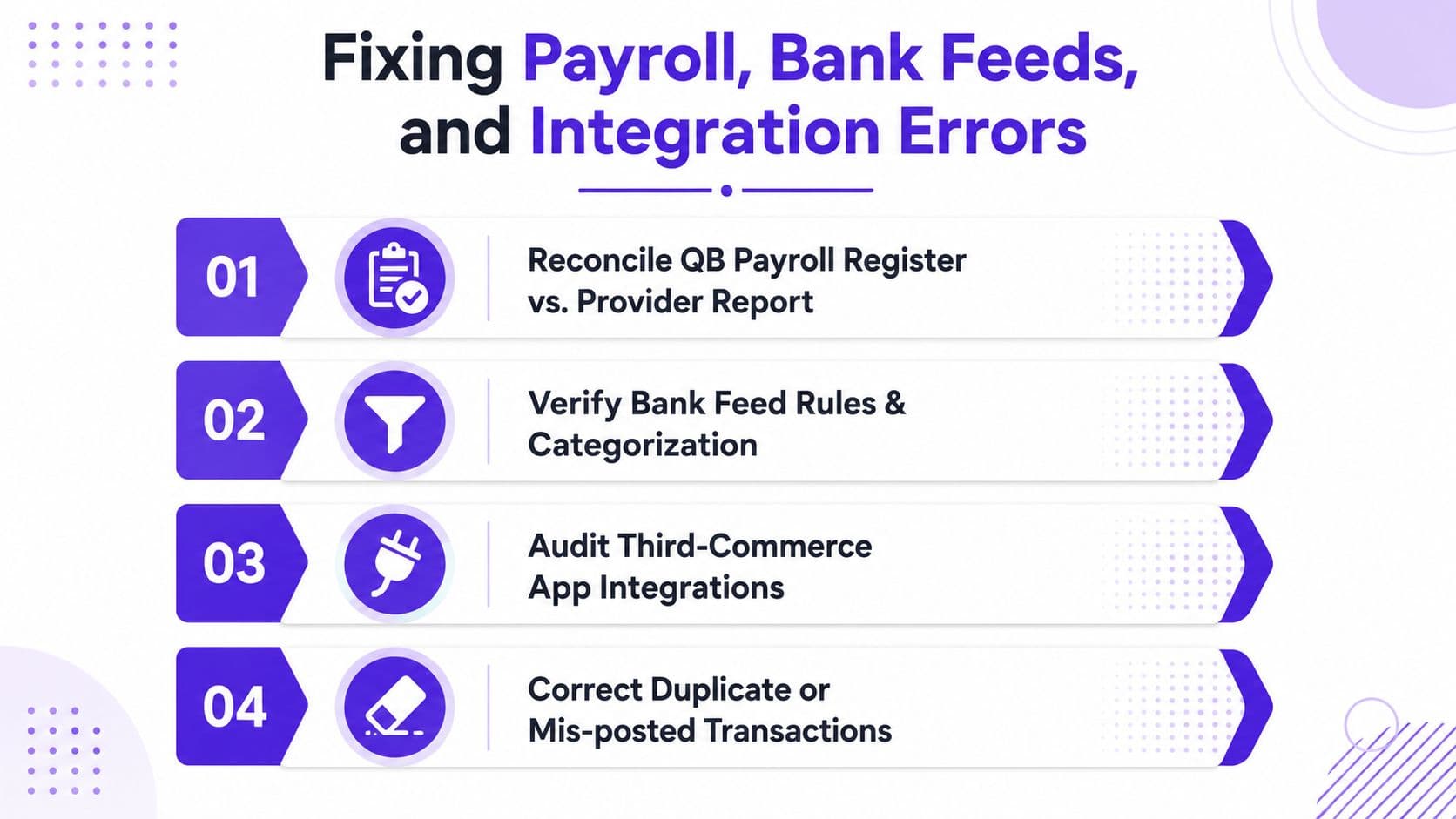
Compare the QuickBooks Payroll register with the outsourced provider's register, whether you use Gusto, ADP, or Paychex. Review wages, employer taxes, employee deductions, and liabilities for the affected periods. Every variance needs a classification, such as a misclassified wage, missed employer tax, duplicate payroll run, or timing difference.
Don't rewrite prior-period payroll casually. Use a payroll clearing account for correcting journal entries when the original period must remain stable, then document how the clearing balance resolves. Review payroll access and approval controls as part of the process. Businesses that need a broader control review can use resources on how to stop payroll fraud in your company.
Rebuild broken bank-feed logic
Disconnect stale connections when the feed is importing incomplete or duplicate activity. Reconnect the account and remap it to the correct QuickBooks account so you can perform a fresh comparison among the bank feed, the register, and the statement.
Watch for three recurring errors:
- Bad rules: Auto-created rules post expenses to the wrong class or account.
- Transfers coded as income: Internal cash movement inflates revenue.
- Duplicated card payments: A credit card payment appears both as a payment and as the underlying expense.
A bank reconciliation doesn't prove that the books are fully correct. It confirms that one bank account ties to its statement after timing differences are considered. It doesn't validate categorization, GST/HST treatment, subledger accuracy, journal entries, or other balance-sheet accounts, as explained in this bank reconciliation accuracy guide.
Audit the integration path
For Stripe, Shopify, and HubSpot, identify the source transaction, the synced QuickBooks entry, the cleared cash account, and the offset account. The offset should land in Gross Revenue or a clearly defined receivable or clearing account that gets reconciled. A permanent balance in an integration clearing account is not a solution.
Use this punch-list before closing:
- Reconcile registers: Compare payroll and subledgers to provider reports and control accounts.
- Reset feeds: Repair disconnected accounts and remove duplicate imports.
- Review rules: Test class, vendor, account, and transfer logic.
- Reclassify revenue: Confirm integration offsets land in the intended revenue or receivable account.
- Rebuild A/R: Tie operational billing data to customer balances.
- Document changes: Save the old rule, the new rule, the reason, and the reviewer.
For teams evaluating technology-assisted controls, compare tools through a practical review of reconciliation automation tools.
Closing the Books and Keeping Them Clean
Closing the books is a discipline, not a rescue event. For a SaaS or agency business with meaningful recurring revenue, the finance team should complete a soft close by the fifth business day, a hard close by the tenth, and a controller-level review by the fifteenth. This cadence gives management usable information while the month is still operationally relevant.
The monthly close sequence
Run the same checklist every month:
- Reconcile cash and debt: Complete bank, credit card, and loan reconciliations.
- Post adjustments: Record accruals, prepaids, depreciation, and other approved entries.
- Tie deferred revenue: Compare the liability to the billing system and contract schedule.
- Verify payroll: Match the payroll register, tax liabilities, and payment activity.
- Clear holding accounts: Investigate Undeposited Funds and clearing accounts until balances have support.
- Review statements: Explain material movements in the P&L and Balance Sheet.
- Lock the period: Prevent unauthorized edits after review and approval.
The month-end workflow described by CSVQBO follows the same core order: import bank and card activity, reconcile to statements, categorize transactions, review the P&L and Balance Sheet, and lock the period. The process is complete only when reconciliation differences are zero and stale balances in Undeposited Funds or clearing accounts have been resolved.
Keep the reporting pack lean
Your monthly pack should include a one-page P&L with budget variance, a Balance Sheet with commentary on significant flux, a cash flow statement, and an ARR/MRR dashboard for SaaS companies. Agencies and professional services firms should add utilization, delivery margin, and backlog views when those metrics drive decisions.
Make the controller sign off in writing. The sign-off should identify the close date, open items, material adjustments, and the person responsible for each unresolved issue. That record gives your next lender, auditor, or investor a clear explanation instead of a last-minute reconstruction.
When to Outsource and What to Expect Next
Outsource when the file requires more than 20 hours, involves multi-year corrections, or sits directly in the path of an audit, fundraise, lender review, or sale. Your in-house generalist may handle current-period bookkeeping well, but reconstructing opening balances, documenting revenue treatment, and defending workpapers requires a different skill set.
Use this decision rule:
| Situation | DIY | Hire Specialist |
|---|---|---|
| Current month is slightly behind | Appropriate with review | Optional |
| Last clean month-end is more than six months behind | Poor use of internal capacity | Recommended |
| Corrections span multiple years | High risk | Recommended |
| CPA has flagged exceptions | Insufficient without specialist review | Recommended |
| Diligence, audit, fundraise, or sale is approaching | Avoid | Hire immediately |
| Cleanup requires more than 20 hours | Cost becomes opaque | Compare fixed scope |
A specialist engagement should begin with a diagnostic, a fixed-scope statement of work, and a defined evidence list. Deliverables should include a closed prior year where appropriate, reconciled balance-sheet accounts, documented material adjustments, and investor-ready or audit-ready financial statements. QuickBooks' own cleanup guidance emphasizes prior and current-year records, purchase timing, onboarding within 60 days, and timely delivery of information in its cleanup guidance. That timing makes readiness a project-management issue as much as an accounting issue.
For a growing company, outsourced accounting services should be evaluated against the actual problem: historical reconstruction, monthly close, controller review, or all three. Jumpstart Partners offers fixed-fee QuickBooks cleanup and close projects that address historical reconciliation, transaction recategorization, chart-of-accounts structure, A/R and A/P cleanup, and final balance-sheet tie-out.
If your last reliable close is more than six months behind or your CPA has identified exceptions, stop assigning isolated fixes. Prepare the reports, source documents, and stakeholder deadline, then schedule a diagnostic before anyone changes the live file.
Jumpstart Partners helps SaaS, agency, and professional services teams clean up QuickBooks, reconcile historical data, and establish a repeatable month-end close. Visit Jumpstart Partners to request a diagnostic conversation and define the cleanup scope your next investor, lender, auditor, or buyer will require.